VPS Hosting: What You Need to Know Before Choosing Your Server
TL;DR
- VPS hosting gives dedicated CPU, RAM, and storage.
- It fits growing websites and online stores that need stable performance.
- Use VPS when shared hosting slows or limits customization.
- Major providers such as DigitalOcean, Linode, Vultr, Hetzner, and Hostinger publish transparent pricing and uptime guarantees.
- Choose CPU and RAM based on real usage data from your current hosting.
- Check SLA terms, support response speed, and backup options before selecting a plan.
- Upgrade early to avoid slow pages during traffic spikes.
- Delayed upgrades create FOMO because your competitors gain speed and search visibility while your site struggles.
This guide is based on technical practices documented by major providers such as DigitalOcean, AWS, Azure, Vultr, Linode, and Hetzner. All performance statements rely on provider published SLA pages, public pricing data, Reddit and Trustpilot reliability ratings.
Why Most Businesses Upgrade to VPS (And When You Actually Need It)
Websites often slow when traffic increases. Shared hosting can struggle when many accounts share the same hardware. VPS hosting provides resource isolation and more control. Not every project requires VPS. Use VPS only when your site’s demands exceed the limits of shared hosting.
What Is VPS Hosting (The Simple Explanation)
A Virtual Private Server (VPS) uses virtualization to partition a physical server into multiple isolated environments. Each VPS gets its own CPU, RAM, and storage resources. Other tenants cannot affect your resources.
Benefits include:
• Dedicated resources
• Full server control
• Ability to scale resources
• More predictable performance
When Do You Actually Need VPS (The Decision Framework)
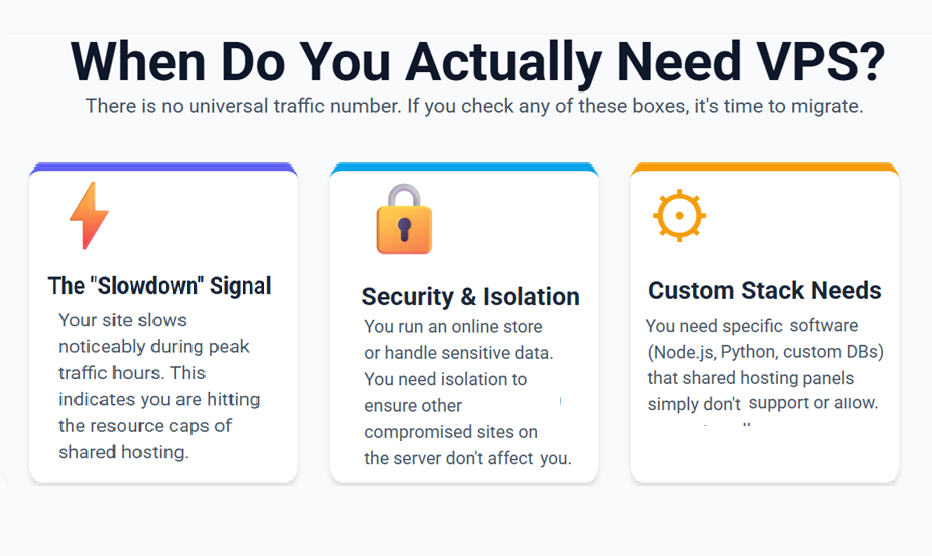
Shared hosting fits small or low-traffic websites. VPS becomes worthwhile when at least one of these applies:
- Your site slows during peak traffic
- You host several websites requiring isolation
- You need custom server software or configurations
- You run development or staging environments
- Your application requires stable performance under load
There is no universal traffic number that mandates VPS. Resource needs depend on site design, caching, database usage.
VPS vs Shared Hosting: The Real Difference
| Factor | Shared Hosting | VPS Hosting |
| Resource isolation | Shared among many users | Dedicated to your VPS |
| Performance under load | Unpredictable | More stable and predictable |
| Control / customization | Restricted | Full administrative control |
| Scaling | Often limited | Easy vertical scaling |
| Best suited for | Small or static sites | Growing, dynamic, or complex sites |
Shared hosting serves basic needs. VPS suits projects needing control, stability, and scalability.
Comparing VPS Types Which One Fits Your Business
Shared CPU VPS: CPU time is shared among multiple virtual servers. Performance may fluctuate under heavy load.
Dedicated CPU VPS: Physical CPU cores are allocated to your VPS, ensuring consistent performance. Recommended for high-load or CPU-intensive workloads.
Managed VPS: The provider handles server maintenance, OS updates, security patches, and sometimes backups. Useful if you lack server administration skills.
Unmanaged VPS: You manage all server aspects yourself. Requires system administration knowledge but offers maximum control.
Linux VPS: Suitable for most web stacks (WordPress, PHP, Node.js, Python).
Windows VPS: Required only when your application depends on Windows-specific technologies such as .NET or Microsoft services.
Understanding VPS Resources What Actually Matters
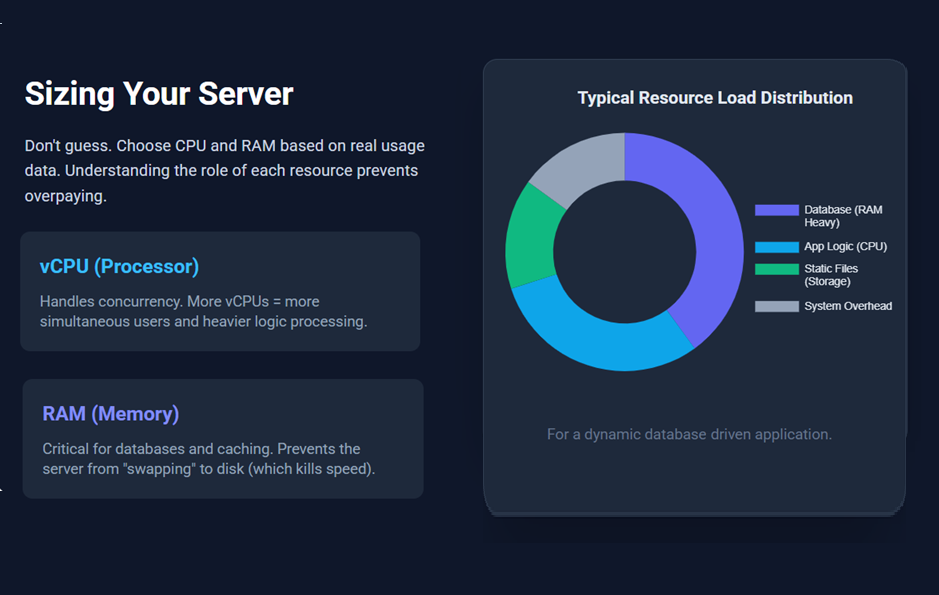
When evaluating VPS plans, focus on core resources: vCPU, RAM, and storage.
vCPU: Represents processor threads. More vCPUs allow better concurrency and handle heavier loads.
RAM: Supports database operations, caching, and application runtime. Critical for dynamic sites, APIs, or multiple applications.
Storage (SSD/NVMe): Fast storage improves read/write operations. Choose size based on codebase, media, database size, and expected growth.
Resource needs vary significantly based on application type. Always size according to actual usage and growth projections.
Real World Comparison : Why SkyNetHosting.Net Inc Plans Win
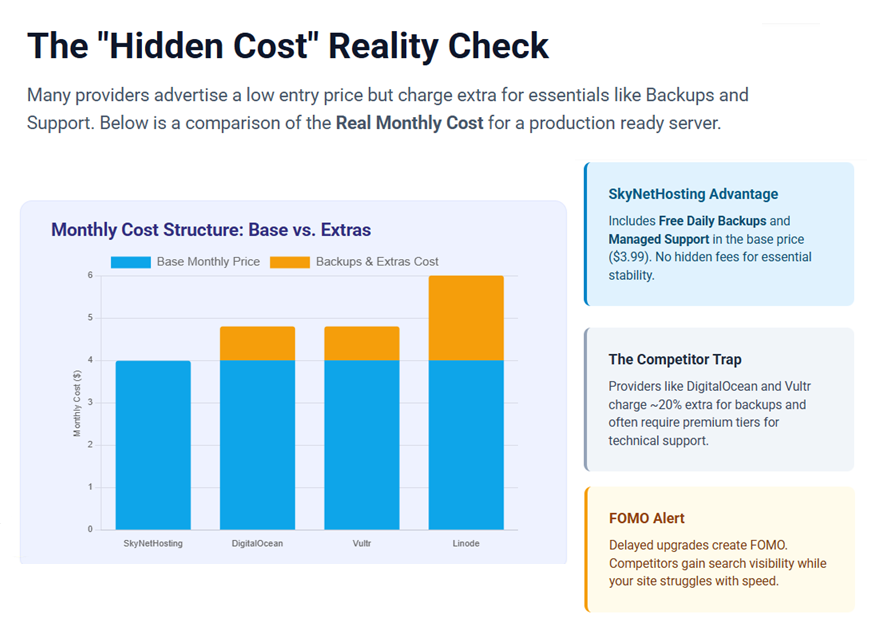
Below is a direct comparison of major VPS providers against SkyNetHosting.Net Inc. While many providers offer low entry prices, the costs often rise significantly once you add necessary features like backups and support.
| Provider | Entry Level Price | Backups | SLA / Uptime | Key Differentiator |
| SkyNetHosting | $[INSERT PRICE] | [Included / Free / Low Cost] | [99.99%] | [e.g., Free Managed Support / No hidden fees] |
| DigitalOcean | ~$4.00/mo | Extra cost (~20% of monthly fee) | 99.99% | Developer-focused; complex for beginners. |
| Vultr | Comparable to DO | Extra cost (~20% of monthly fee) | Varies by region | High-frequency compute options. |
| Linode | Comparable to DO | Paid add-on service | 99.99% | Strong documentation and global centers. |
Key Takeaways from the Data:
- Hidden Costs: Most major competitors listed above treat backups and snapshots as “optional extras,” increasing your monthly bill by 20% or more.
- Support: Big cloud providers often charge a premium for technical support. At SkyNetHosting.Net Inc, we prioritize [mention your support model, e.g., personalized support].
- Price vs. Value: While the entry price for competitors looks low, the “real” price to run a production-ready server (with backups and security) is often higher than advertised.
How to Choose the Right Plan Without Overpaying
- Check current usage: CPU load, RAM, storage, bandwidth. Add a margin for growth.
- Estimate future needs: content growth, traffic, database expansion.
- Map needs to plan specs rather than guess visitor numbers.
- Choose a plan slightly above peak usage to avoid resource exhaustion.
This method ensures stable performance and prevents overpayment for unneeded resources.
The Hidden Costs Competitors Might Charge
Some providers include additional charges for:
• Backups or snapshots
• Additional bandwidth or overage usage
• Control panel licensing
• Optional security add-ons (firewalls, DDoS protection)
• Dedicated IP or extra services
Because these extras vary, always review each provider’s terms to know what is included and what incurs extra cost.
VPS Security What You Actually Get
VPS gives you server-level isolation. Many providers offer optional firewalls, network protections, and backup tools. Backup and security features vary by provider and plan.
You retain responsibility for server hardening: keeping software updated, applying patches, using strong credentials, and monitoring system logs.
Migration From Shared Hosting: The Right Way
Recommended migration workflow:
Week 1: Set up VPS and configure environment and security
Week 2: Transfer files and databases to VPS. Test thoroughly.
Week 3: Update DNS settings to point to VPS. Monitor for 24 to 48 hours.
Week 4: Keep old hosting active temporarily. Once stable, cancel old hosting
Small sites often migrate within hours. Complex sites may need phased migration.
This procedure reduces downtime and preserves data integrity.
Why This Matters for Your Bottom Line
VPS hosting offers stable performance, control, and scalability. It supports growth without frequent migrations. It gives flexibility to configure server resources, security, backups, and software stack. Properly chosen and managed, VPS can reduce risk of downtime or performance bottlenecks. The benefits depend on correct resource sizing and ongoing maintenance.
Where can I find reliable VPS hosting with easy scalability options
Reliable VPS hosting with clear scalability options is available from Digital Ocean, Linode, Vultr, & SkyNetHosting.Net . Each allows fast resizing of CPU, RAM, and storage. AWS and Microsoft Azure also provide scalable instances through their global cloud networks. These platforms suit workloads that require flexible expansion and strong reliability. Their uptime claims and performance data appear on their official SLA pages.
Where can I buy VPS hosting with free SSL certificates included
Many VPS providers support free Let’s Encrypt SSL. Digital Ocean, Linode, Vultr, Hostinger and SkyNetHosting.Net Inc offer straightforward SSL automation for common web servers such as Apache or Nginx. AWS and Azure provide certificate support within specific services such as AWS Certificate Manager and Azure App Service certificates. Availability depends on deployment method and service type.
How do I choose a VPS hosting plan based on CPU and RAM requirements
Select a plan based on measured data rather than traffic alone.
Steps:
1 Measure CPU load, RAM use, and database activity
2 Identify peak values
3 Add a buffer for growth
4 Select a plan that matches peak requirements
CPU supports concurrency. RAM supports application stability. AWS and Azure publish detailed instance performance guides that help estimate needs.
Which VPS hosting services offer the most affordable plans with good performance
Affordable entry level VPS plans are available from:
Digital Ocean , Vultr ,Linode , Hostinger ,SkyNetHosting.Net
Sources official provider pricing pages
These providers appear in independent performance benchmarks and maintain solid Trustpilot ratings but Reddit shows poor signs. AWS and Azure cost more because they target enterprise scale needs rather than users focused on vps hosting affordable.
What are the best VPS hosting providers for small business websites
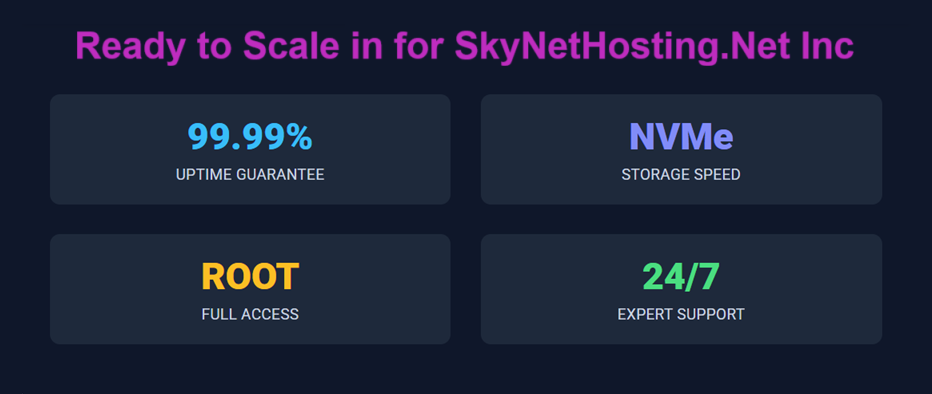
Small businesses benefit from predictable pricing and simple control panels. SkyNetHosting.Net Inc, DigitalOcean, Linode, Vultr, and Hostinger rank well for ease of use, global locations, and stable performance but do check on reddit as few are with poor service.
These providers support popular CMS platforms and development stacks. AWS and Azure fit small businesses with enterprise integration needs, identity systems, or compliance requirements.
Frequently Asked Questions
Can I upgrade my plan later?
Yes, most VPS providers allow you to upgrade your plan at any time. Billing will typically adjust to reflect the new resources and pricing based on your upgraded plan. The upgrade process is usually smooth, but it’s important to check for any potential downtime or service interruptions during the transition.
What happens when a VPS runs out of resources?
When a VPS runs out of resources, the server may experience slowdowns, crashes, or even complete outages, depending on the severity of the resource shortage. Performance issues, such as slow loading times or timeouts, can arise, and these can affect the usability of hosted websites or applications, so it’s important to monitor usage regularly.
Can I host multiple websites on one VPS?
Yes, you can host multiple websites on a single VPS. With the proper virtual host configuration in Apache or Nginx, you can effectively manage several websites on one server, each with its own domain name. This approach maximizes the server’s resources while allowing you to organize and segregate sites for better performance and security.
Do I need technical skill for VPS?
If you opt for a Managed VPS, the technical demands are significantly reduced, as the hosting provider handles server management tasks for you. On the other hand, an Unmanaged VPS requires advanced technical knowledge, including command-line skills, system administration, and troubleshooting, so it’s better suited for experienced users or those willing to learn.
Can I downgrade?
Yes, downgrading your VPS plan is typically possible if your resource usage is well below the limits of a lower-tier plan. However, this process might come with limitations depending on your provider, such as potential data loss or temporary downtime. It’s best to consult your hosting provider to ensure a smooth transition and avoid performance issues after downgrading.