

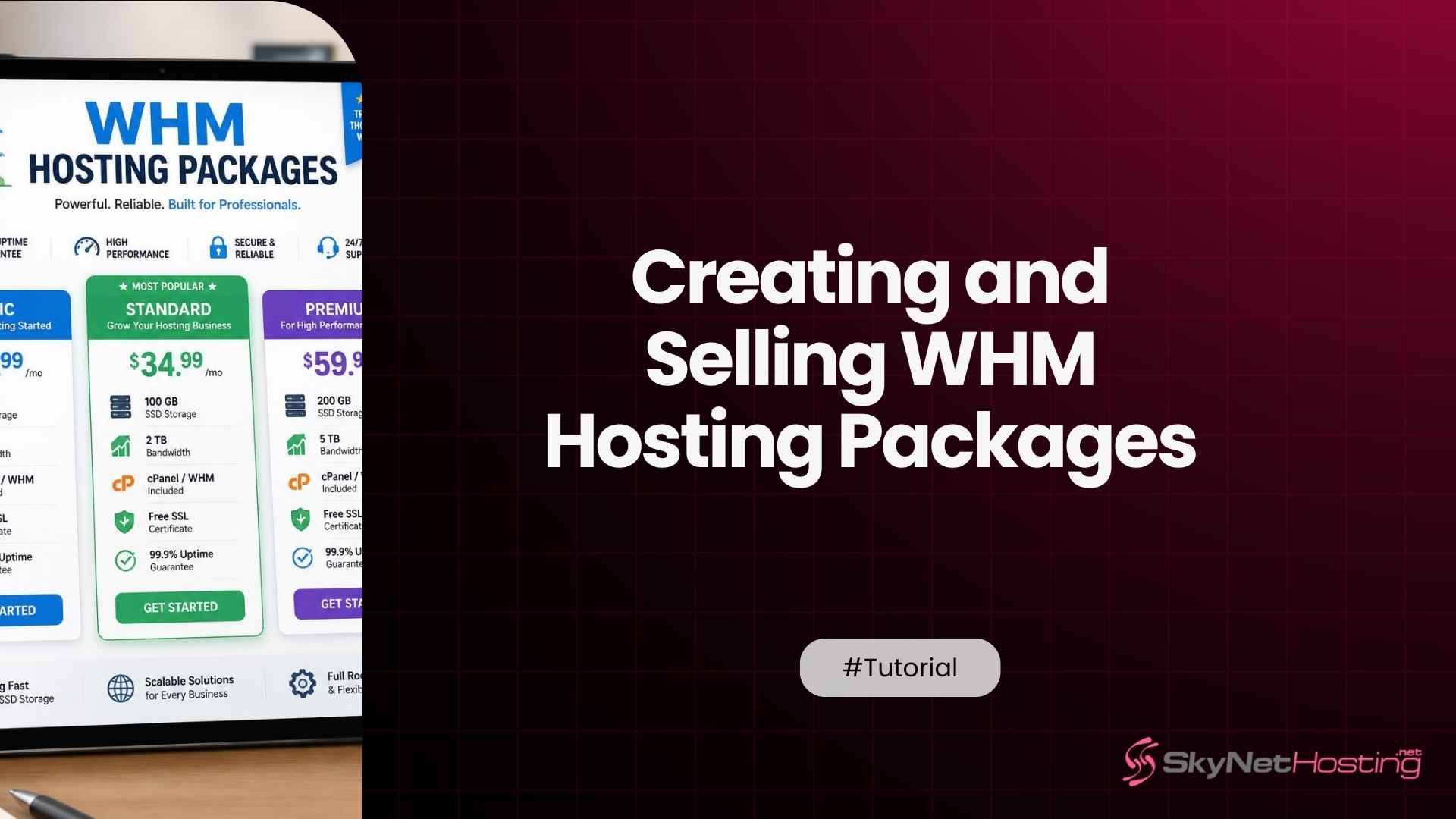
How to Create and Sell Hosting Packages in WHM: Step-by-Step for New Resellers
Creating a hosting package in WHM means defining disk space, bandwidth, and account limits, then attaching cPanel features and a price before assigning it to a customer account.
Most first-time resellers get through the actual form in under fifteen minutes once the fields make sense. The packages that make money get built differently though. They come with pricing, support cost, and room to grow already worked out before the first customer ever signs up.
This guide walks through building a package inside WHM, pricing it to sell, the mistakes that quietly eat a reseller’s margin, and what a platform like SkyNetHosting.Net actually changes about how fast a new reseller gets to their first paying customer.
What Are Hosting Packages in WHM and Why Do New Resellers Need Them?
A WHM hosting package is a saved template of disk space, bandwidth, email limits, and cPanel features that gets applied to every new customer account a reseller creates.
Build the package once, and every account created under it inherits those same numbers automatically. Get the definitions right early, and the rest of the reseller business runs on a system instead of guesswork.
Understanding how WHM packages work
A package is not a hosting account by itself. It is a blueprint stored on the server that WHM applies the moment a reseller clicks Create a New Account and selects that package from the dropdown.
Disk quota, monthly bandwidth, email account limits, MySQL database limits, and the list of enabled cPanel features all come from that one saved template.
Change a package after customers are already using it, and existing accounts do not automatically pick up the new numbers. A reseller has to go back and manually update each account still tied to the old version.
We have seen a reseller try to fix a mispriced package for 40 live customers one account at a time on a Friday afternoon. It is why getting close to right the first time matters more than the form suggests.
The relationship between WHM packages and cPanel accounts
When a reseller creates a cPanel account through WHM, one field asks which package to apply. Everything the customer sees inside their own cPanel dashboard, the file manager limits, the email tools available, the number of add-on domains allowed, traces back to that single package choice.
New resellers tend to skip past this. Assigning the wrong package to a client is not a two minute fix later on. It usually means either recreating the account from scratch or manually adjusting a dozen individual settings by hand, none of which the customer should ever notice happened.
Why properly designed packages improve customer management
A reseller running three well designed packages, an entry plan, a business plan, and a premium plan, spends noticeably less time on support tickets than one running a single package with the numbers quietly bent upward for whichever customer complains loudest.
We have watched new resellers try to run an entire hosting business on one all purpose package. It works for the first five customers.
By customer twenty, half the accounts have manually inflated limits nobody wrote down anywhere, and support has no reliable way to tell which customer is actually paying for what they are using. Structured packages from the start avoid that mess entirely.
How Do You Create Your First Hosting Package in WHM?
Inside WHM, open Packages, then Add a Package, and fill in the disk space, bandwidth, and feature fields before saving.
The screen has roughly ten fields total, but each one carries real consequences for margin and support load once real customers start signing up under it.
Defining disk space, bandwidth, and account limits
Start with the numbers that show up on the customer’s own dashboard: disk quota in megabytes or gigabytes, monthly bandwidth, the number of email accounts, FTP accounts, subdomains, and MySQL databases allowed. WHM lets any of these run unlimited, but unlimited on paper still runs on finite disk and CPU underneath.
A reasonable starting point for an entry plan sits around 5GB of disk space and 50GB of bandwidth, enough for a small business site or a handful of email accounts without inviting abuse. Business and premium tiers scale up from there in clear, easy to explain jumps rather than odd numbers a customer has to squint at.
Email accounts and databases deserve the same thought as disk space, not a copy paste default. A five page brochure site rarely needs more than a handful of mailboxes.
A growing business with a sales team might need thirty. Set the ceiling too low on a business tier and a reseller gets support tickets asking for exceptions within the first month. Set it too high on an entry tier and there is no reason for anyone to ever upgrade.
Configuring package features and permissions
Below the resource limits sits a Feature List dropdown, which controls what actually appears in the customer’s cPanel: whether they can install SSL certificates themselves, use the Softaculous auto installer, access backup tools, or manage their own DNS zone. WHM ships a Default feature set, but most resellers eventually build a custom list per package tier.
This is where entry and premium plans actually feel different to the customer, not just cheaper or pricier on a page. An entry plan might hide advanced DNS editing and staging tools.
A premium plan opens all of it, plus faster access to features built on tools like the Softaculous auto installer, which most customers use to get WordPress or an ecommerce cart running without touching a line of code.
Creating packages for different customer needs
New resellers often try to build one package that fits everyone. It never quite does. A local restaurant site and a growing ecommerce store have nothing in common in terms of disk, email volume, or database needs, and pricing them identically either overcharges one or underpays for the other.
Three tiers cover most reseller catalogs without becoming confusing: a starter package for brochure sites and portfolios, a business package for active small businesses with regular email traffic, and a premium package for stores, membership sites, or anything database heavy.
Two tiers works for a very small catalog. Five or more starts to overwhelm a customer trying to pick one on a pricing page.
Saving and reviewing package settings
Once the fields are set, WHM saves the package immediately and it becomes available in the Create a New Account dropdown right away.
Nothing is locked in permanently though. A package can be edited later from Edit a Package, and the changes apply going forward to any newly created accounts.
Before selling a single plan publicly, create one test account under each package and actually log into that customer’s cPanel as if it were a real client.
Check the disk number displayed matches what was set, confirm the expected features show up, and confirm the ones meant to stay hidden actually stay hidden. Skipping this step is how resellers find out about a misconfigured package from an angry customer instead of on their own.
How Can You Price and Sell Your Hosting Packages Profitably?
Price hosting packages by working backward from server cost per account, then layering in support time and a real margin, rather than copying a competitor’s price list. A package that looks competitive on paper can still lose money every month if the underlying resource cost and support load were never actually calculated.
Creating entry-level, business, and premium plans
A three tier structure gives customers an easy decision and gives a reseller three distinct margins to work with. Entry plans are usually priced to win a customer’s first sale and build trust. Business and premium plans carry the real margin, because customers on those tiers stay longer and churn less.
One pattern worth stealing directly: price the middle tier as the one most customers should pick, and design the page so it visually stands out. Most hosting customers default to the option that looks recommended rather than comparing every number line by line.
A rough starting range that holds up across a lot of new reseller catalogs looks something like this. Entry around four to six dollars a month. Business around ten to fifteen. Premium around twenty five to forty, depending heavily on server cost and how saturated the local market already is. These are starting points to test against real signups, not fixed numbers to copy blindly.
Setting resource limits based on customer requirements
Resource limits should map to what a realistic customer in that tier actually uses, not to what sounds impressive. A brochure site with monthly traffic under a few thousand visitors will never come close to using 50GB of bandwidth. Advertising unlimited everything on an entry plan invites the wrong kind of customer and creates support tickets nobody priced for.
We generally recommend resellers compare their own numbers against a reseller features breakdown before finalizing pricing, since seeing what similar hosting tiers include elsewhere makes it much easier to spot a package that is either overbuilt or underpowered for its price.
Avoiding overselling while remaining competitive
Overselling means advertising more combined resources across all packages than the server actually has, on the assumption most customers never use their full allocation. It is a completely normal part of the hosting business and not something to hide from. The mistake is overselling without a plan for what happens when several customers do use more than average at the same time.
SkyNetHosting builds overselling enabled WHM directly into its reseller infrastructure, which gives new resellers room to price competitively without personally monitoring server load every day. That said, overselling still carries real risk if a reseller never checks usage at all. It works because the underlying servers are sized for it, not because the concept itself removes all limits.
Adding value with white-label services and free features
Price is not the only lever a new reseller has. Bundling in things a customer would otherwise pay for separately, a free SSL certificate, a free domain for the first year, a white-label support email that never shows the underlying host’s name, all raise perceived value without cutting into the base price.
A free domain reseller account bundled into a business tier removes one of the most common reasons a prospective customer stalls out before buying: not wanting to deal with a separate domain registrar on top of a hosting decision.
What Common Mistakes Should New Resellers Avoid When Creating WHM Packages?
The most common mistakes are offering unlimited resources with no real plan behind them, building too many confusing plans, ignoring how a customer upgrades later, and skipping testing before the first sale. Every one of these is fixable in the package screen itself, before it ever reaches a paying customer.
Offering unlimited resources without proper planning
Unlimited disk and unlimited bandwidth read well on a pricing page. They also attract the handful of customers who will genuinely try to use as much as the label allows, usually by running something the plan was never meant to host, like a video archive or a busy forum.
This is the single most avoidable mistake we see from new resellers, and it is also the easiest to fix. Cap the number quietly high instead of advertising the word unlimited, or keep unlimited only on the top tier where the price already reflects it.
Creating too many confusing hosting plans
Six or seven similarly priced packages might feel like flexibility. To a customer trying to make a decision in under a minute, it reads as confusion, and confused customers close the tab. Three tiers, clearly differentiated, convert better than seven tiers that all blur together on a pricing page.
Ignoring future scalability and upgrade paths
A customer who outgrows their entry package should have an obvious next step, not a support ticket that turns into a manual account rebuild. Packages built without an upgrade path in mind force exactly that kind of rebuild later, usually at the worst possible time for the customer’s site.
Resellers who plan for growth from day one often price their top package as a stepping stone toward master reseller hosting, so a customer who needs more than any single package offers has somewhere real to go instead of hitting a wall.
Forgetting to test packages before selling them
It is a small step that gets skipped constantly under launch pressure. Create a real test account under every package, log in as that customer would, and confirm the numbers and features match what the pricing page promises.
A five minute check here prevents the first week of a new reseller business from being spent apologizing to customers instead of onboarding them.
How Does SkyNetHosting.Net Inc. Help New Resellers Launch Hosting Packages Successfully?
SkyNetHosting.Net gives new resellers full WHM access, a free WHMCS license, and white-label infrastructure on top of over 20 years of hosting operations and 700,000 plus websites hosted across 25 worldwide server locations.
That combination is what turns package creation from a technical exercise into an actual working business, sometimes on the same day the account is set up.
Our internal framing for how fast a reseller can be operational is 97 minutes to become a host, and it holds up because the WHM and WHMCS pieces are already connected before a reseller logs in for the first time.
Reseller hosting plans designed for beginners
The real barrier most people run into starting a hosting business is not technical, it is billing and provisioning complexity. Nobody wants to manually create every account and manually invoice every customer once they pass ten clients. SkyNetHosting’s reseller hosting plans are built with that specific bottleneck in mind, pairing WHM package creation with automated billing from day one rather than leaving a new reseller to stitch the two together themselves.
WHM access with scalable hosting resources
Every reseller plan includes full WHM access on Intel Dual Xeon servers running NVMe storage, with LiteSpeed instead of the older Apache stack most budget hosts still run.
We have seen sites move from a shared SSD setup to NVMe VPS resources and cut page load times by more than half without the customer changing a single line of their own code.
That headroom matters directly for package design, because a reseller sizing an entry plan at 5GB is not competing against the server’s limits, only against what actually makes sense to sell.
WHMCS compatibility for automated provisioning
We bundle a free WHMCS license worth $15.95 a month with every reseller plan, because manual invoicing is one of the most common reasons new resellers burn out inside the first year.
Once WHMCS is connected to WHM, a customer who buys a package online gets their cPanel account created automatically, with no reseller needing to be at a keyboard when the sale happens.
It is not full automation though. A disputed chargeback or a customer locked out of their billing portal still needs a human to sort it out, and no software genuinely removes that.
White-label infrastructure that supports business growth
A reseller’s customers should never see SkyNetHosting’s name anywhere in their experience. Support tickets, the customer facing storefront through MyCompanyWeb, and even nameservers can all be branded under the reseller’s own company. That matters more than it sounds, because a customer who discovers their host is actually a reseller of a reseller tends to lose trust fast, even when nothing about the service itself changed.
How Can You Grow Your Hosting Business After Launching Your First WHM Packages?
Growing past the first batch of customers means watching actual resource usage, expanding packages only when real demand shows up, and automating the billing and provisioning work that eats a reseller’s time as the customer count climbs. None of this requires rebuilding the original packages from scratch.
Monitoring customer resource usage
WHM’s resource usage reports show which accounts are approaching their disk or bandwidth limits, and that data is worth checking monthly at minimum.
A single account creeping toward its ceiling is normal. Several accounts on the same package all approaching their limits at once usually means that package was priced or sized wrong from the start, not that customers are misbehaving.
It is worth setting a calendar reminder for this the same week the first package goes live, because it is the first thing a busy reseller forgets once support tickets and sales start coming in.
A quick monthly check, ten minutes at most, is usually enough to catch a package problem before it turns into a wave of complaints.
Expanding your hosting plans as demand increases
Once a reseller has real usage data, expanding a package is a deliberate decision rather than a guess. A business tier that consistently runs near capacity is a strong signal to introduce a fourth tier, or to point growing customers toward budget reseller plans with more headroom rather than quietly overselling further on the existing one.
Automating billing, provisioning, and customer management
The manual version of this business does not scale past roughly 20 to 30 accounts before something breaks, usually a missed renewal or a support request that sits too long. Automated billing, automated account suspension for nonpayment, and automated provisioning through WHMCS are what let a one person reseller operation manage triple that number without adding staff.
A hosting package built well in WHM on day one is the foundation this entire growth path sits on. Get the resource limits, features, and pricing right early, and scaling later is mostly a matter of adding tiers and automation on top, not tearing down what already works. Ready to put a properly built package in front of real customers? Explore SkyNetHosting’s reseller hosting plans and get WHM and a free WHMCS license running under one account.
