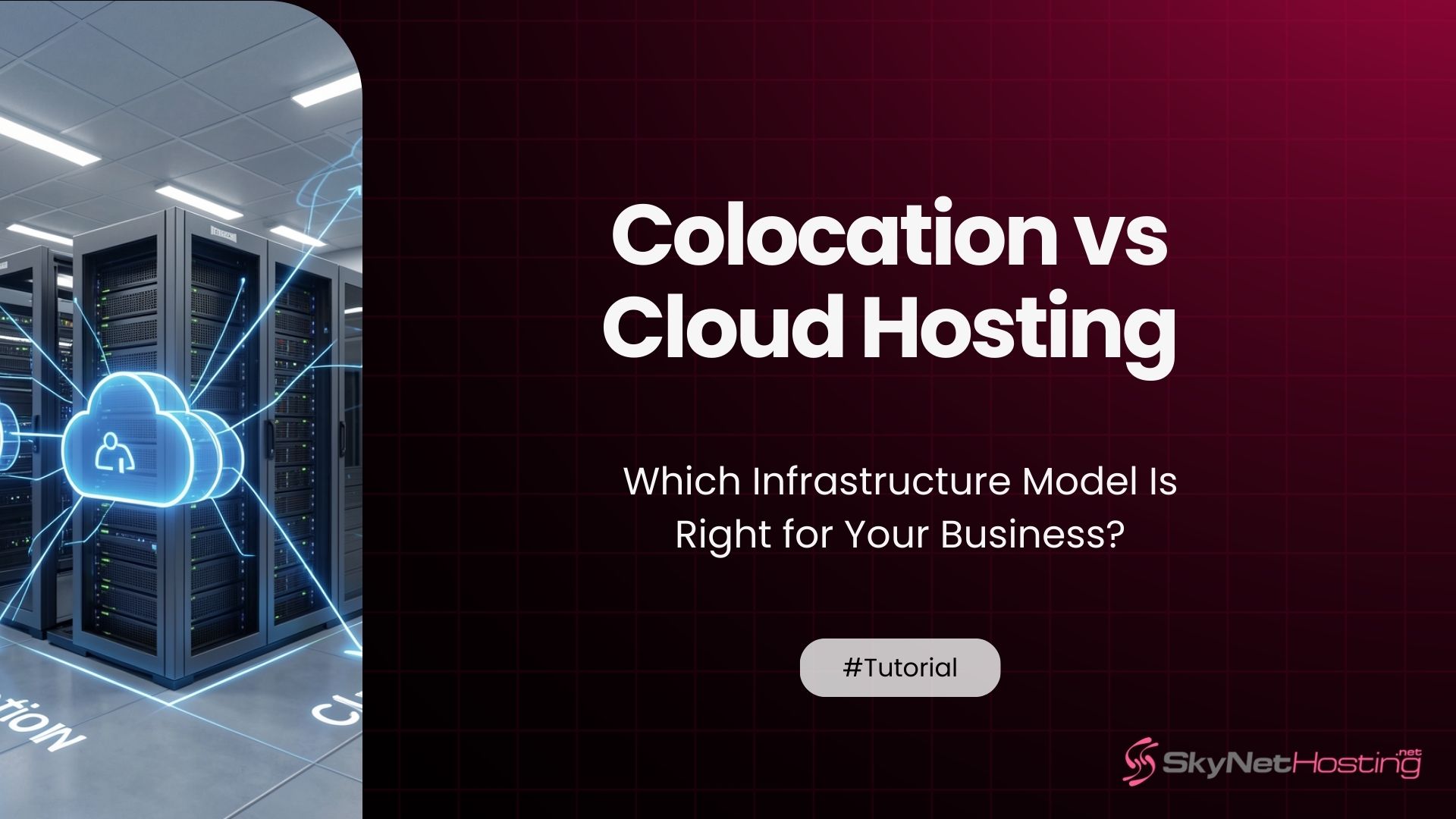
Colocation vs Cloud Hosting: Which Infrastructure Model Is Right for Your Business?
TL;DR
- Colocation: You own hardware, rent rack space/power for full control and long-term savings on predictable loads.
- Cloud: Subscription model scales instantly but risks “noisy neighbor” lag and unpredictable usage bills.
- Costs: Colocation upfront CapEx, steady OpEx; cloud pay-as-you-go favors bursts over constant high use.
- Performance: Dedicated colo hardware beats shared cloud for latency-sensitive apps like gaming or finance.
- Management: Colo requires your OS/security handling; cloud shares responsibility with provider maintenance.
- Hybrid wins for many: Core systems in colo, variable apps in cloud for balanced control and flexibility.
I’ve spent over a decade helping businesses figure out their hosting strategy. And one question keeps coming up: “Should we go with colocation or move everything to the cloud?”
It’s a fair question. Both options have their place. But picking the wrong one can cost you time, money, and a whole lot of stress.
Let me walk you through both options. By the end of this guide, you’ll know exactly which infrastructure model fits your business.
What Is Colocation Hosting?
Colocation is pretty straightforward once you understand the basics.
How colocation works in a data center
Think of colocation like renting garage space for your car. You own the car. You maintain it. But someone else provides the building, security, and utilities.
In colocation, you own your servers. You control the hardware completely. But the data center provides the physical space, power, cooling, and network connectivity.
Your equipment sits in racks inside a professional facility. The colocation provider ensures the environment stays optimal for your hardware.
Renting space, power, and connectivity for your own servers
When you colocate, you’re paying for three main things: physical rack space, reliable power, and fast network connections.
The data center handles the infrastructure. They provide redundant power systems, climate control, physical security, and high-speed internet connections.
You bring your own servers, storage devices, and networking equipment. You configure everything exactly how you want it.
Who typically uses colocation environments
Colocation works well for businesses that already own hardware and want professional-grade facilities without building their own data center.
Large enterprises often use colocation for legacy systems that can’t easily move to the cloud. Financial services companies appreciate the physical control for compliance reasons.
Organizations with predictable, steady workloads find colocation cost-effective over time. The upfront hardware investment pays off if you’re running the same equipment for years.
What Is Cloud Hosting?
Cloud hosting flipped the traditional model upside down.
How virtualized infrastructure delivers on-demand resources
Instead of physical servers, cloud hosting uses virtualization. Your “server” is actually software running on someone else’s hardware.
You don’t see or touch the physical equipment. You access virtual machines through a web portal or API.
The cloud provider manages all the hardware. You just spin up resources when you need them and shut them down when you don’t.
Pay-as-you-go hosting explained
Cloud hosting charges you for what you actually use. Need more RAM for a few hours? Pay for those hours. Done with a project? Delete the server and stop paying.
This is fundamentally different from colocation. With colocation, you pay for rack space whether you’re using 10% or 100% of your server’s capacity.
Cloud pricing can get complicated with different rates for compute, storage, bandwidth, and additional services. But the core principle is simple: you only pay for active resources.
Why businesses are shifting toward cloud environments
The flexibility is hard to beat. Launch a new project in minutes instead of weeks. Scale up during busy periods and scale back down afterward.
No hardware shopping. No waiting for delivery. No physical maintenance. The barrier to entry is incredibly low.
For cloud server hosting for business, this means faster deployment and easier testing. Developers love it because they can experiment without huge capital investments.
What Are the Key Differences Between Colocation and Cloud Hosting?
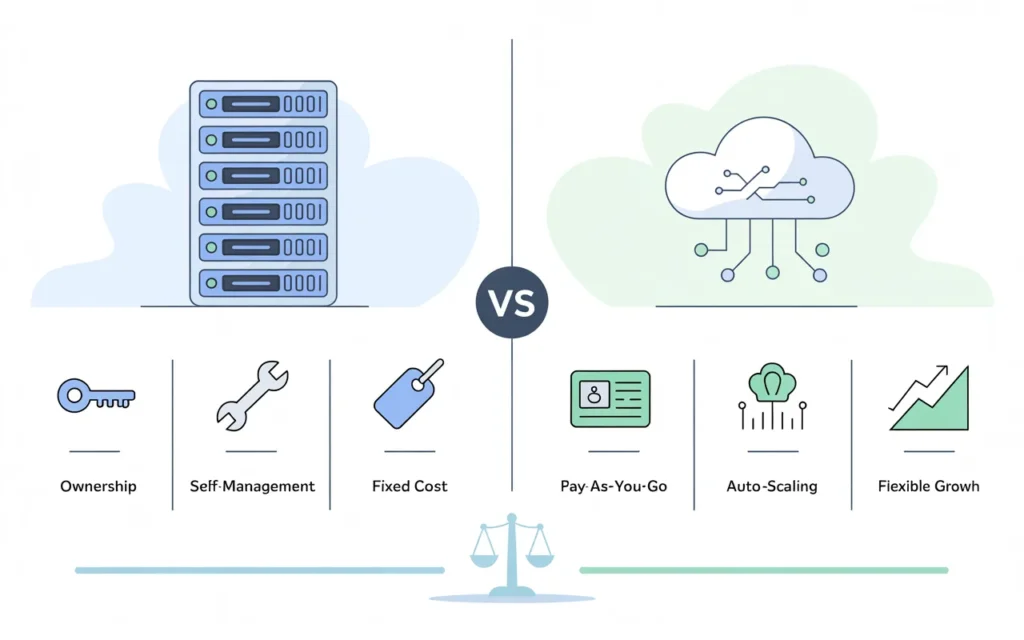
Let’s break down the fundamental differences.
Ownership vs subscription-based infrastructure
Colocation means you own the hardware. You bought those servers. They’re yours. You can keep them for 5 years or more if they still work.
Cloud hosting is pure rental. You never own the underlying hardware. You’re subscribing to computing resources month by month.
Ownership has benefits. You’re not at the mercy of price increases from a cloud provider. But it also means your capital is tied up in depreciating equipment.
Physical hardware vs virtual resources
In colocation, you can walk into the data center and touch your servers. Need to swap a hard drive? You can physically do that.
Cloud resources are entirely virtual. Your “server” might actually be running on hardware shared with dozens of other customers. You never know exactly where your data physically sits.
This abstraction is powerful for flexibility but limiting for certain compliance requirements or hardware-specific needs.
Management responsibility comparison
Colocation puts more responsibility on you. You handle operating system updates, security patches, hardware failures, and capacity planning.
Cloud providers handle the physical layer. But you’re still responsible for your virtual machines, applications, and data security. It’s a shared responsibility model.
The level of management varies. Some cloud providers offer fully managed services where they handle almost everything. Others are more hands-off.
Which Option Offers Better Scalability?
Scalability often becomes the deciding factor.
Scaling hardware in colocation environments
Adding capacity in colocation takes time. You need to order new servers, wait for delivery, physically install them, and configure everything.
Budget for weeks, not hours. And you need to plan ahead because you can’t instantly respond to unexpected growth.
Once the hardware is in place, though, it’s yours. No per-hour charges for scaling up. The capacity is just there.
Instant scalability in cloud hosting
Cloud hosting shines here. Need 10 more servers? Click a button. Traffic spike hitting your site? Auto-scaling can add resources automatically.
This elasticity means you can handle unpredictable workloads without overbuying hardware. You match resources to actual demand in real-time.
For businesses with seasonal traffic or rapid growth, this flexibility is invaluable. Learn more about how to choose the right VPS plan to understand resource allocation better.
Handling unpredictable traffic growth
If your traffic patterns are all over the place, cloud hosting makes more sense. Black Friday sales, viral marketing campaigns, or sudden user growth all benefit from instant scaling.
Colocation works better when your resource needs are predictable and steady. If you know you’ll need X amount of computing power consistently, owning the hardware becomes more economical.
How Do Costs Compare Between Colocation and Cloud?
Money matters. Let’s talk real numbers.
Upfront investment vs operational expenses
Colocation requires significant upfront capital. You’re buying servers, networking gear, and potentially software licenses before you even start.
Budget $5,000-$50,000+ depending on your needs. That’s a big check to write before your first customer uses your service.
Cloud hosting has minimal startup costs. Create an account, add a credit card, and start spinning up resources. Your first month might cost $50 or $500 depending on usage.
Long-term cost predictability
Colocation becomes more predictable over time. Your main ongoing costs are rack space rental, power consumption, and bandwidth. These typically stay fairly stable.
Cloud costs can surprise you. One misconfigured service left running can rack up thousands of dollars. Traffic spikes mean higher bills. It requires careful monitoring.
Over a 3-5 year period, colocation often costs less for steady workloads. But you’re betting on consistent usage to justify that upfront hardware investment.
Hidden costs businesses often overlook
Colocation has hidden costs too. Hardware failures mean replacement expenses. You need staff with expertise to manage physical servers. Travel costs if the data center isn’t local.
Cloud hidden costs include data transfer fees (egress), premium support plans, and the complexity of optimizing usage to control costs. Many businesses overspend on cloud by 30-40% due to inefficient resource usage.
For comparing models in depth, check out cloud hosting vs VPS vs dedicated options.
Which Provides More Control and Customization?
Control is a big deal for some organizations.
Full hardware control in colocation setups
With colocation, you choose every component. Want a specific CPU? Done. Need specialized network cards? Install them. Require custom RAID configurations? You decide.
This level of control matters for specialized workloads, regulatory compliance, or organizations with very specific hardware requirements.
You also control the upgrade cycle. Keep running hardware until it fails or until you decide it’s time to upgrade. No forced migrations because your cloud provider is retiring old instance types.
Flexibility of configurable cloud environments
Cloud environments offer incredible software flexibility. Deploy different operating systems, try new configurations, and test ideas without physical constraints.
But you’re limited to what the cloud provider offers. Need a specific CPU that’s not in their catalog? You’re out of luck.
Most businesses find cloud providers offer enough options. But niche requirements sometimes demand the hardware control that only colocation provides.
When deep customization really matters
If you’re running AI workloads that need specific GPUs, colocation might be better. High-frequency trading systems that need the absolute lowest latency? Physical proximity to exchanges matters.
For most web applications, SaaS platforms, and standard business workloads, cloud customization is more than sufficient.
What About Maintenance and Management Responsibilities?
Let’s talk about who does the work.
Hardware maintenance in colocation
Your server’s hard drive fails at 2 AM. With colocation, that’s your problem to solve. You need to have spare parts or a contract with a vendor who can deliver quickly.
You’re responsible for firmware updates, physical security of your equipment, and monitoring hardware health. This requires dedicated IT staff with hardware expertise.
Some colocation providers offer “remote hands” services where their staff can physically access your equipment for a fee. But you’re still directing the work.
Managed infrastructure advantages in cloud hosting
Cloud providers handle all physical maintenance. Failed hard drive? They swap it. Power supply issue? They fix it. You never even know it happened.
This removes a huge operational burden. Your team focuses on applications and business logic, not hardware babysitting.
Managed cloud services go even further, handling operating system updates, backups, and security patches automatically.
IT workload considerations for growing teams
Small teams appreciate cloud hosting because they don’t have the bandwidth for hardware management. One developer can run significant cloud infrastructure.
Colocation makes more sense when you already have experienced system administrators who know hardware inside and out.
Consider your team’s expertise and where you want them spending time. Hardware maintenance rarely moves your business forward.
How Do Performance and Reliability Differ?
Let’s talk about how your applications actually run.
Dedicated hardware performance benefits
Colocation gives you dedicated physical resources. No “noisy neighbor” problems. Your server’s CPU is yours alone.
For applications that need consistent, predictable performance, dedicated hardware eliminates variables. You know exactly what you’re getting every single time.
High-performance computing, large database systems, and latency-sensitive applications often perform better on dedicated hardware.
Cloud redundancy and global availability
Cloud infrastructure is built for redundancy. Your application can automatically fail over to different availability zones if one data center has issues.
Achieve geographic distribution easily. Run instances in North America, Europe, and Asia simultaneously to serve global users with low latency.
For understanding server comparisons, read about the best dedicated server provider options available.
Matching infrastructure to application needs
Database servers with heavy disk I/O might perform better on dedicated colocation hardware with NVMe drives you’ve specifically configured.
Web applications that need to scale up and down with traffic patterns thrive in cloud environments with auto-scaling.
There’s no one-size-fits-all answer. Match your infrastructure choice to your specific application requirements and usage patterns.
Which Is More Suitable for Modern Digital Businesses?
Modern businesses have different needs than traditional enterprises.
Supporting SaaS, ecommerce, and agency environments
SaaS companies benefit from cloud hosting’s ability to provision customer environments instantly. New customer signup? Spin up their isolated environment in seconds.
Ecommerce platforms need to handle seasonal traffic spikes. Black Friday traffic might be 10x normal levels. Cloud auto-scaling handles this effortlessly.
Agencies managing multiple client websites appreciate cloud flexibility. Each client can have their own isolated environment without physical hardware management.
Adapting to rapid deployment cycles
Modern development practices emphasize continuous deployment. Ship code multiple times per day. Test in production-like environments.
Cloud infrastructure supports this workflow naturally. Spin up staging environments, run tests, deploy to production, all through APIs and automation.
Colocation hardware sits idle between deployments. The agility difference is significant for fast-moving technology companies.
Infrastructure for continuous scaling
Startups rarely know their exact resource needs next month, let alone next year. Cloud hosting lets them start small and grow organically.
The ability to experiment without large capital investments reduces risk. Try new features, new markets, or new products without committing to hardware.
If you’re freelancing and reselling VPS hosting, cloud infrastructure makes client onboarding much simpler.
Can Businesses Combine Colocation and Cloud Strategies?
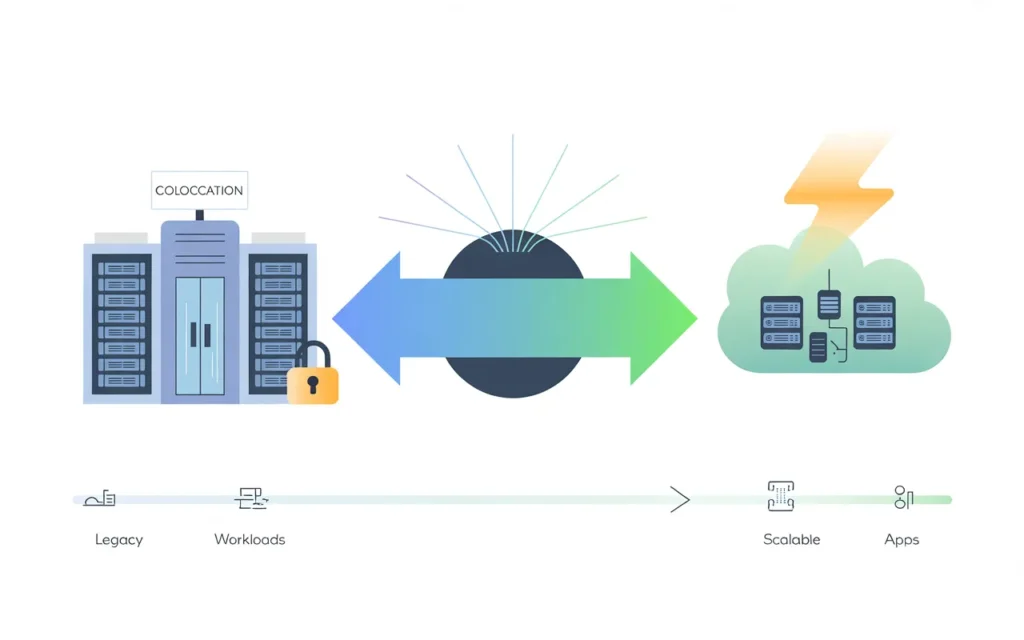
You don’t have to choose just one.
Understanding hybrid infrastructure models
Many organizations run hybrid setups. They keep certain workloads in colocation and move others to the cloud.
This approach lets you optimize for different requirements. Put your steady-state production database in colocation for cost efficiency. Use cloud for development environments and traffic bursts.
This approach lets you optimize for different requirements. Put your steady-state production database in colocation for cost efficiency. Use cloud for development environments and traffic bursts.
The key is having systems that can communicate between environments securely and efficiently.
Using colocation for legacy systems and cloud for growth
Legacy applications that are difficult to migrate often stay in colocation. They work fine on existing hardware. Why risk a migration?
Meanwhile, all new projects launch in the cloud. You get modern development practices for new work while keeping old systems running.
Over time, as legacy systems reach end-of-life, you migrate to cloud-first. This gradual transition reduces risk.
Transition strategies toward cloud-first environments
Most businesses are moving toward cloud-first strategies. New projects default to cloud unless there’s a compelling reason otherwise.
The transition happens gradually. As colocation contracts expire and hardware needs replacement, evaluate whether cloud makes more sense.
Some workloads will always perform better or cost less in colocation. But those are becoming the exception rather than the rule.
How Does SkyNetHosting.Net Help Businesses Transition to Scalable Cloud Solutions?
Let me share how we approach this at SkyNetHosting.Net.
High-performance hosting without hardware management
We’ve built our infrastructure specifically for businesses that want colocation-level performance without the complexity.
Our managed VPS and cloud hosting environments deliver dedicated resources. You get the performance benefits without owning physical servers.
NVMe storage, powerful processors, and network bandwidth that rivals what you’d get in colocation. But we handle all the maintenance.
Scalable environments designed for resellers and agencies
Agencies and resellers need flexibility. Your clients’ needs change constantly. You can’t be buying and installing hardware every time.
Our platform lets you scale resources up or down with a few clicks. No hardware procurement. No waiting for delivery. Just instant availability.
For those interested in reselling, explore our best VPS hosting provider options that include white-label capabilities.
Reliable infrastructure that eliminates colocation complexity
We operate 25+ global data centers with carrier-grade infrastructure. Redundant power, cooling, and network connections. Everything you’d get from colocation.
But you don’t manage any of it. No remote hands tickets. No emergency hardware replacement at 3 AM. We handle it all proactively.
24/7 support means you’re never alone when issues arise. Real humans who understand infrastructure, not chatbots reading scripts.
How Do You Choose the Right Hosting Model for Your Needs?
Let’s make this decision practical.
Evaluating technical requirements and growth plans
Start by honestly assessing your current needs and where you’ll be in 12-24 months. Don’t overprovision based on unrealistic growth projections.
Consider your application architecture. Does it benefit from cloud-native features like auto-scaling and global distribution?
Look at your team’s skills. Can they manage physical hardware effectively? Or would they be more productive without that responsibility?
Matching infrastructure to budget and expertise
If you have limited capital but need to launch quickly, cloud hosting makes sense. Start small and pay as you grow.
Organizations with significant upfront budget and steady workloads should evaluate colocation. Run the numbers over 3-5 years to see which is more economical.
Factor in staff costs. Hiring experienced system administrators to manage colocation hardware isn’t cheap.
Avoiding overinvestment in physical hardware
The biggest mistake I see is businesses buying too much hardware upfront “just in case.” That equipment sits idle, depreciating.
Cloud hosting lets you avoid this trap. Only provision what you need today. Scale up when demand materializes.
Even if cloud costs more per unit of computing, you’re not paying for idle capacity. That often makes it cheaper in practice.
Conclusion
Infrastructure decisions should support agility, not limit it
Your hosting infrastructure should accelerate your business, not hold it back. The right choice depends on your specific situation.
Colocation still makes sense for certain workloads, especially when you need dedicated hardware performance and have the expertise to manage it.
Cloud hosting is increasingly the practical choice for scalability and efficiency
For most modern businesses, cloud hosting offers the flexibility needed to compete effectively. Launch faster, scale easier, and respond to change quickly.
The ability to provision resources on-demand eliminates the need to predict future capacity. You adapt to actual demand instead of guessing.
Choosing a reliable hosting partner simplifies growth without the burden of managing physical servers
The middle path—managed cloud hosting from a reliable provider—often delivers the best of both worlds.
You get performance comparable to colocation with the flexibility of cloud hosting. Professional management eliminates operational headaches.
At SkyNetHosting.Net, we’ve helped hundreds of businesses make this transition successfully. Our infrastructure scales with you while our team handles the technical complexity.
Ready to move beyond the limitations of traditional hosting? Explore our managed cloud solutions and discover how modern infrastructure supports business growth without the burden of hardware management.
FAQs
What defines colocation hosting?
Colocation lets you place owned servers in a provider’s data center for power, cooling, connectivity. You retain full hardware control while gaining enterprise security and uptime without buying a facility.
How does cloud hosting differ?
Cloud delivers virtualized resources over the internet on subscription—no hardware ownership needed. Providers manage physical layers; you configure VMs/apps, scaling compute/storage/bandwidth instantly for variable workloads.
Which saves more long-term costs?
Colocation cuts expenses for steady high loads via owned gear and fixed fees, avoiding cloud’s usage spikes. Cloud suits bursts or startups but escalates bills over time for constant traffic.
Does colocation outperform cloud?
Yes, dedicated hardware ensures consistent low latency and no resource contention, ideal for databases or real-time apps. Cloud’s virtualization adds minor overhead, better for elastic non-critical workloads.
Who manages security in each?
Colocation: You handle OS, apps, updates fully; provider secures physical access/power. Cloud shares model—provider protects infrastructure; you secure configurations, data, access controls.
When choose hybrid approach?
Hybrid runs stable core systems in colocation for control/performance, offloads peaks to cloud for scalability. Balances costs, security, flexibility for growing businesses avoiding single-model risks.