DNS Propagation: How Long Does DNS Take to Propagate & How to Speed It Up
TL;DR
Here are 6 TL;DR points for the DNS propagation article, kept to a similar, slightly reduced length.
- DNS propagation is the delay while updated DNS records spread worldwide, so different users may briefly see different versions of your site after changes.
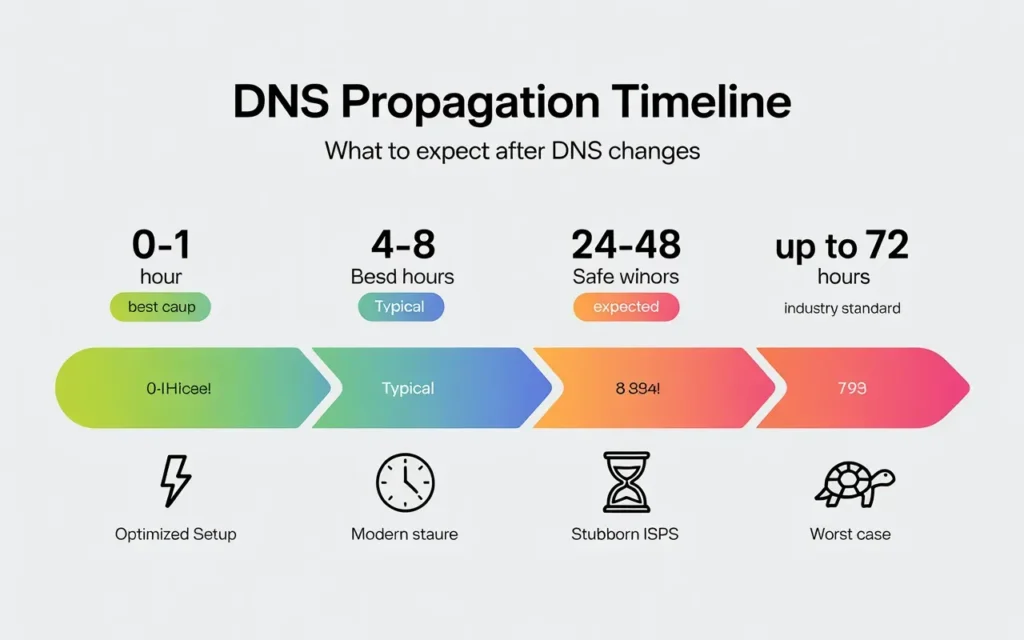
- Typical DNS propagation takes 24–48 hours, though many updates complete within 4–8 hours and rare cases may stretch toward 72 hours.
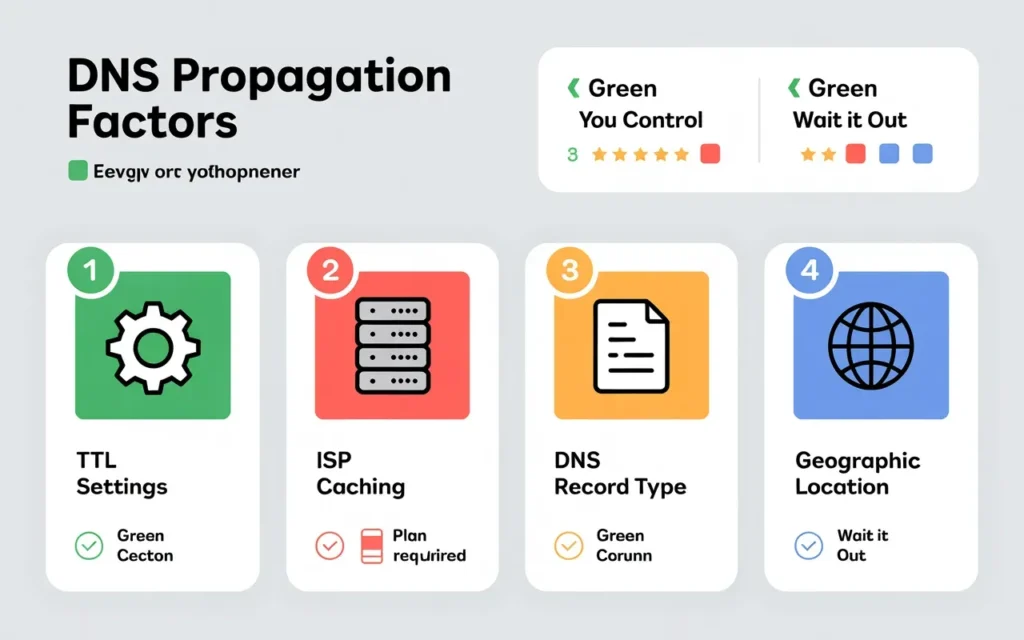
- Propagation speed depends mainly on TTL values, ISP and resolver caching behavior, record types (A vs NS), and geographic distance from authoritative servers.
- Inconsistent results across locations usually come from layered caching: ISP resolvers, operating systems, browsers, routers, and differences between mobile and Wi‑Fi networks.
- You can’t force instant propagation, but lowering TTL 24–48 hours before changes, updating authoritative records correctly, and limiting unnecessary edits can significantly reduce downtime.
- Reliable DNS hosting, fast authoritative servers, global Anycast infrastructure, and expert support help ensure faster, more consistent DNS updates for critical sites.
You’ve just launched a brand new website or moved your existing site to a faster server. You hit “save” on your DNS settings, type your domain into the browser, and… nothing changes. Or worse, you see the old site. Meanwhile, your client in another city says they can see the new site perfectly.
Welcome to the frustrating world of DNS propagation.
In my 10 years working with web hosting and server management, I’ve seen this scenario play out more times than I can count. It is the single most common source of confusion for anyone managing a website. You feel stuck in limbo, wondering if you broke something or if the internet is just being slow.
Here is the good news: you probably didn’t break anything. The internet is just catching up.
In this guide, I’m going to explain exactly what is happening behind the scenes. We will look at why it takes so long, the factors you can control, and the practical steps you can take to speed up DNS propagation for your next big move.
What Is DNS Propagation?
To understand the delay, you first have to understand what is actually happening when you update your domain settings.
Simple definition of DNS propagation
Think of the Domain Name System (DNS) as the phone book of the internet. It maps human-readable names (like skynethosting.net) to computer-readable IP addresses (like 192.0.2.1).
When you move your website to a new host, you are essentially changing your phone number. You update the listing in your local directory (your authoritative nameserver).
DNS propagation is the time it takes for that updated “phone number” to spread from your directory to every other directory across the world. Every Internet Service Provider (ISP) and server needs to update their own copy of the phone book to know where your website now lives.
Why DNS changes are not instant
The internet is decentralized. There is no single “master switch” that updates the entire world instantly.
To make the internet fast, ISPs cache (save) DNS records. If I visit your site today, my ISP remembers your IP address so it doesn’t have to look it up again tomorrow. This saves time and bandwidth.
However, when you change that IP address, my ISP doesn’t know about it yet. It is still holding onto the old “cached” note. It will keep sending me to the old server until that cache expires and it is forced to look up your new information.
Common situations that trigger DNS propagation
You will typically encounter propagation delays during three specific events:
- Changing Nameservers: You switch your hosting provider and point your domain to the new host’s nameservers.
- Modifying DNS Records: You edit an “A Record” to point your domain to a different IP address, or an “MX Record” to change email providers.
- Registering a New Domain: Even a brand new domain needs time for its existence to be recognized globally by all root servers.
How Long Does DNS Propagation Usually Take?
This is the question every site owner asks while refreshing their browser.
Typical DNS propagation time ranges
The industry-standard answer is 24 to 48 hours.
In my experience, however, the reality is often faster. Most modern DNS updates propagate globally within 4 to 8 hours. However, you should always plan for the full 48-hour window to be safe, especially if you are migrating a mission-critical business site.
Occasionally, you might see straggling ISPs taking up to 72 hours to clear their old data, though this is becoming less common as internet infrastructure improves.
Why some users see changes earlier than others
This is where it gets confusing. You might check your site on your phone (using 5G) and see the new version, but check on your laptop (using Wi-Fi) and see the old version.
This happens because your mobile carrier and your home internet provider have different update schedules. One might have refreshed their cache five minutes ago, grabbing your new data. The other might not be scheduled to refresh for another 12 hours.
DNS propagation myths vs reality
Myth: “I can force propagation to happen instantly.”
Reality: You cannot. Once the change is made, you are at the mercy of other networks. You can speed it up before you make the change (more on that later), but not after.
Myth: “If I see the new site, everyone else does too.”
Reality: Your view is local. Just because your local ISP has updated doesn’t mean a user in London, Tokyo, or New York sees the same thing.
What Factors Affect DNS Propagation Time?
Why does one domain update in an hour while another takes two days? It comes down to a few technical variables.
TTL (Time to Live) settings
TTL is the most critical factor in DNS propagation speed.
Every DNS record has a TTL value, usually expressed in seconds. This number tells servers, “Keep this information in your cache for X amount of time before asking for an update.”
- If your TTL is set to 86400 (24 hours), ISPs will only check for updates once a day.
- If your TTL is set to 300 (5 minutes), ISPs will check for updates frequently.
If you change your DNS record while your TTL is set to 24 hours, anyone who visited your site recently will have to wait up to 24 hours to see the change.
ISP and resolver caching behavior
Ideally, every ISP would respect your TTL settings. In the real world, some don’t.
Some internet providers ignore short TTL settings to reduce traffic on their networks. Even if you set your TTL to 5 minutes, a strict ISP might decide to cache your record for an hour anyway. This is outside your control and is a major contributor to propagation delays.
DNS record type changes
Not all records propagate at the same speed. Generally, changing an A record (IP address) happens faster than changing Nameservers (NS records).
Nameserver changes involve the Top Level Domain (TLD) root servers (like Verisign for .com domains), which can add an extra layer of caching and delay compared to a simple IP swap.
Geographic location of users
Distance matters. If your server and authoritative DNS are located in the USA, updates might reach North American ISPs faster than they reach providers in rural parts of Asia or Australia. The data has to physically travel across the network infrastructure, hopping from server to server.
Why DNS Changes Appear Inconsistent Across Locations
During the propagation window, your website effectively exists in two places at once. This phenomenon leads to inconsistency.
Local vs global DNS caching
There are layers to caching. There is the global layer (root servers), the regional layer (ISPs), and the local layer (your router and computer).
Your neighbor might use a different ISP than you. Their ISP might have cleared the cache, while yours hasn’t. This results in the “It works for me but not for you” troubleshooting nightmare.
Browser cache vs OS cache
Your computer has its own DNS cache (the OS cache). On top of that, your web browser (Chrome, Firefox, Safari) also maintains its own DNS cache.
I have seen cases where a user’s operating system had the correct new IP, but Chrome was stubbornly holding onto the old one. Simply clearing the browser cache or opening an Incognito window can sometimes solve this specific “propagation” issue.
Mobile networks vs ISP DNS
Mobile networks often use different DNS resolvers than home broadband connections. They also tend to use “Carrier Grade NAT,” which can complicate caching.
If your client says the site isn’t loading on their Wi-Fi, ask them to disconnect and try on 4G/5G. If it works on data, you know the site is live, and the issue is isolated to their home ISP’s cache.
How to Check DNS Propagation Status Accurately
Stop refreshing your browser. It’s not the best way to check. Here are the tools pros use.
Using online DNS propagation checker tools
There are several free tools that ping your domain from dozens of servers around the world to see which IP address they return.
- DNSChecker.org: A classic tool. It shows a map of the world with green checks.
- Whatsmydns.net: Similar functionality. It helps you visualize where the new IP has propagated and where the old one is still stuck.
If you see a mix of your old IP and new IP, propagation is in progress. If you see only red X’s, you might have a configuration error.
Checking DNS with dig and nslookup
If you are comfortable with a command line (Terminal on Mac/Linux, Command Prompt on Windows), you can check directly.
On Windows:
Type nslookup yourdomain.com
It will tell you the IP address your computer is currently seeing.
On Mac/Linux:
Type dig yourdomain.com
This provides more detailed info, including the current TTL remaining.
Verifying authoritative DNS responses
You can ask your specific nameserver what it thinks the IP is. This confirms that your settings are saved correctly at the source, even if the world hasn’t caught up.
Using the terminal command:dig @ns1.yournameserver.com yourdomain.com
If this returns the new IP, your configuration is correct. You just have to wait for the world to catch up.
How to Speed Up DNS Propagation Safely
While you can’t force the internet to update instantly, you can hack the system with proper planning. This is the secret to zero-downtime migrations.
Lowering TTL before making changes
This is the golden rule of migration.
24 to 48 hours before you plan to move your website, log into your current DNS provider and lower the TTL on your records. Change it from the standard 14400 (4 hours) or 86400 (24 hours) down to 300 seconds (5 minutes).
Wait for that 24-48 hours to pass.
Now, when you actually change the IP address, every ISP in the world will only be caching your data for 5 minutes. The propagation will happen almost instantly.
Updating authoritative DNS records first
Ensure your new host is ready before you switch. Set up your account, upload your files, and ensure the new environment is live.
When you switch the nameservers, the “phone book” will point to the new location immediately. If the new location isn’t ready to answer the call, visitors will get an error.
Avoiding unnecessary DNS changes
Don’t change your nameservers and your A records and your MX records all at the same time if you don’t have to. The more variables you change simultaneously, the harder it is to troubleshoot if something doesn’t propagate correctly. Keep it simple.
What You Cannot Control During DNS Propagation
Despite your best efforts, some things are out of your hands.
ISP-level DNS cache expiration
As mentioned earlier, some ISPs are stubborn. Even if you lower your TTL to 5 minutes, a budget ISP in a remote area might disregard it and hold the cache for 24 hours. There is absolutely nothing you can do about this except wait.
Third-party resolver behavior
Many users don’t use their ISP’s DNS; they use public resolvers like Google DNS (8.8.8.8) or Cloudflare (1.1.1.1). While these are generally fast and respect TTL, they handle massive traffic and have their own complex caching rules.
User device caching
You cannot clear the cache on your customer’s laptop. If their computer decides to hold onto the old IP, they won’t see the site. You can instruct them to flush their DNS (using ipconfig /flushdns on Windows), but you can’t force it remotely.
Common DNS Propagation Problems and Fixes
Propagation usually resolves itself, but sometimes “waiting” isn’t the solution.
Website loading old server
If you migrated a WordPress site, this can be tricky. If you update the content on the new site, but users are landing on the old site, they won’t see your updates.
Fix: During migration, put a “Maintenance Mode” page on the old server. This way, you can visually confirm if you are landing on the old site (Maintenance page) or the new site (Live site).
Email delivery issues after DNS change
This is common when changing nameservers. If you forget to copy your MX records (which control email) to the new host, email will stop working.
Fix: Always double-check your MX records before switching nameservers. Ensure the new host has the exact same email settings as the old one.
SSL errors during propagation
An SSL certificate validates your domain. During propagation, the validation might fail because the certificate authority sees the old server while you are trying to install it on the new one.
Fix: Wait for the IP to fully propagate before attempting to issue or renew an SSL certificate.
When DNS Propagation Becomes a Hosting Issue
Sometimes, it’s not propagation. It’s the host.
Misconfigured nameservers
If you type your nameservers incorrectly (e.g., ns1.hosting.com instead of ns1.myhosting.com), the propagation will never finish because the domain is pointing to nowhere. Always copy and paste nameservers; never type them from memory.
Slow or unreliable DNS providers
Cheap hosting often comes with slow DNS resolvers. If the host’s authoritative server is slow to respond to requests, the propagation process crawls.
DNS downtime risks
If your DNS provider’s server goes down, your website vanishes. It doesn’t matter if your website server is online; if the “phone book” is closed, no one can find you.
Why Reliable DNS Hosting Reduces Propagation Issues
Not all DNS is created equal. Premium hosting makes a difference in how fast changes spread.
Fast authoritative DNS servers
A good host uses high-performance hardware for their nameservers. The faster the authoritative server responds to a query, the faster that info spreads to ISPs.
Global DNS infrastructure
Top-tier hosts use “Anycast” DNS. This means the DNS record is broadcast from multiple locations worldwide simultaneously. A user in London gets the DNS info from a London server, not one in Los Angeles. This significantly cuts down latency and propagation time.
Proper TTL management
Reliable hosts give you granular control over your TTL settings. Many budget hosts lock this down, preventing you from using the “lowering TTL” trick I mentioned earlier.
How Skynethosting.net Helps Ensure Faster DNS Updates
At Skynethosting.net, we understand that waiting 48 hours is rarely an option for modern businesses. We have built our infrastructure to minimize these delays.
Optimized authoritative DNS
Our nameservers run on NVMe storage, which is up to 900% faster than traditional drives. This ensures that when a request comes in for your new domain details, our servers respond instantly, pushing the update out to the network as fast as physics allows.
Global server reach
We operate across 25 worldwide locations. Whether your users are in the USA, Europe, or Asia, we have a point of presence nearby. This global footprint ensures that DNS changes propagate across different regions more consistently.
Expert DNS configuration support
DNS is complicated. One wrong period or space can break a site. Our 24/7 expert support team is there to help. We can assist you in lowering your TTLs before a move, verifying your MX records to keep email flowing, and troubleshooting any propagation lags you might encounter.
Conclusion
DNS propagation is a waiting game, but it doesn’t have to be a mystery.
By understanding how caching works and applying the TTL trick before you migrate, you can turn a 48-hour blackout into a brief hiccup.
Realistic expectations for DNS propagation
Expect 24 hours. Hope for 4. If you see the new site instantly, take it as a bonus, not the standard.
Best practices to minimize downtime
Plan ahead. Lower your TTLs. Check your MX records. And don’t delete your old hosting account until you are 100% sure the new one is fully active and propagated globally.
Choosing a reliable DNS and hosting provider
The foundation of fast propagation is a fast network. If you are tired of slow updates and unreliable connections, it might be time to switch to a provider that prioritizes speed.
Check out Skynethosting.net to see how our global NVMe infrastructure can keep your site online and your DNS updates moving fast.
FAQs
What is DNS propagation in simple terms?
How long does DNS propagation usually take?
Why do some people see the new site while others see the old one?
What factors affect how fast DNS propagates?
Propagation speed mainly depends on TTL values for each record, caching behavior of ISPs and resolvers, whether you changed A records or nameservers, and user geography relative to authoritative DNS infrastructure. Shorter TTLs and better DNS networks accelerate visible updates.
Can I speed up DNS propagation for a planned migration?