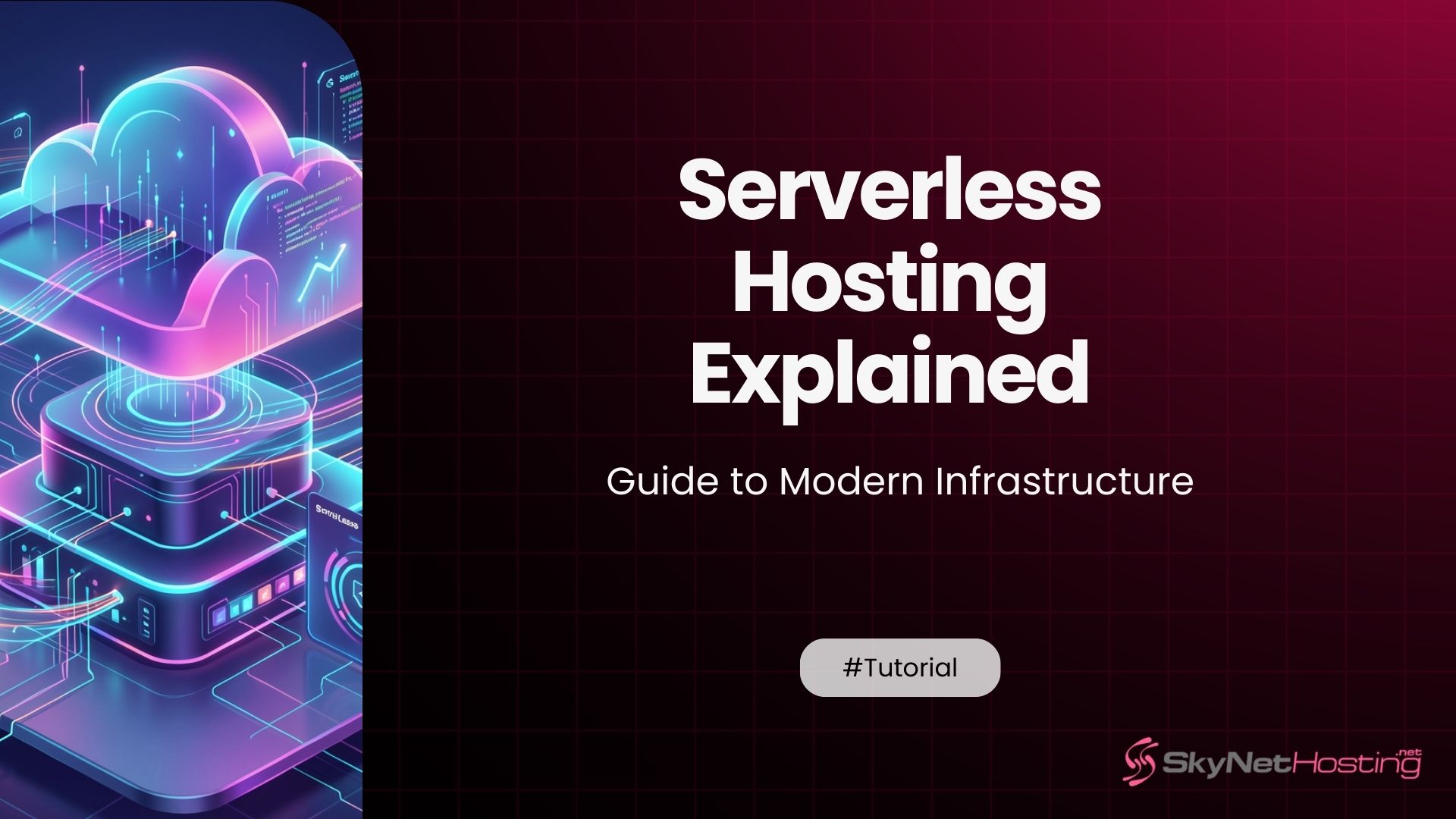
Serverless Hosting Explained: A Beginner-Friendly Guide to Modern Infrastructure
TL;DR
- No server management: Providers handle provisioning, scaling, patching—developers focus purely on code and features.
- Auto-scales instantly to traffic spikes, from zero to thousands of requests without manual tweaks.
- Pay-per-execution model cuts costs 50-70% for bursty workloads vs. always-on servers.
- Faster deployments with microservices, reducing time-to-market for APIs, webhooks, and event-driven apps.
- Built-in high availability across zones, improving resilience without extra setup.
- SkyNetHosting integrates serverless options with NVMe, LiteSpeed for hybrid efficiency in reseller setups.
You’ve probably heard the word “serverless” tossed around in developer circles, startup pitches, and cloud platform marketing. And if you’re like most people I talk to, it leaves you with more questions than answers.
What does it actually mean? Are there really no servers involved? And more importantly—is it the right choice for your project?
After spending a decade helping businesses make sense of hosting infrastructure, I can tell you this: serverless is one of the most misunderstood concepts in modern tech. The name is misleading, the benefits are real, but it’s definitely not a one-size-fits-all solution.
This guide breaks everything down in plain language. No jargon overload. No abstract theory. Just a clear, honest look at how serverless hosting works—and how to decide if it belongs in your stack.
What Does Serverless Hosting Actually Mean?
Let’s start with the biggest point of confusion.
Why “Serverless” Is a Misleading Term
Serverless does not mean there are no servers.
Servers still exist. They still run your code. But here’s the key difference: you never see them, manage them, or even think about them. That responsibility shifts entirely to the cloud provider.
As Google Cloud describes it, “you pay for the server’s service, not the server itself.” You write your code, deploy it, and the provider handles everything else—provisioning, scaling, patching, and maintenance.
IBM frames it well too: “servers in serverless computing are managed by a cloud service provider. Serverless describes the developer’s experience with those servers—they are invisible to the developer.”
So when people say “serverless,” they really mean “server-management-free.”
The Role of Cloud Providers in Managing Infrastructure
When you go serverless, you hand infrastructure responsibilities to a cloud provider.
They take care of:
- Provisioning the right amount of resources
- Scaling up when traffic spikes
- Scaling back down when things go quiet
- Operating system updates and security patches
- Server monitoring and failure recovery
The big players in this space are AWS Lambda, Microsoft Azure Functions, and Google Cloud Functions. Each offers a fully managed environment where your code runs on demand.
How Execution-Based Hosting Works Behind the Scenes
Here’s the simplest way to think about it.
Your code sits idle. A trigger arrives—maybe a user clicks a button, an API request comes in, or a scheduled task fires. The cloud provider spins up a container, runs your code, processes the request, and then tears the container back down.
You only pay for the time your code was actually running. Nothing more.
How Is Serverless Hosting Different from Traditional Hosting?
Traditional hosting means you rent a server—or a slice of one—and it runs continuously, whether or not anyone is using it.
Managing Servers vs Abstracted Infrastructure
With a VPS or dedicated server, you’re responsible for setup, configuration, software updates, and security. If your server crashes at 3 AM, you’re the one fixing it.
With serverless, none of that is your problem. You’re purely focused on application code and business logic.
Deployment Models Compared
Traditional hosting gives you persistent environments. Your server is always on, always consuming resources.
Serverless environments are ephemeral. They exist for the duration of a task, then disappear. This makes deployments faster and simpler, but it also changes how you architect your applications.
Why Developers Are Moving Away from Manual Scaling
One of the biggest headaches with traditional infrastructure is scaling.
With dedicated hosting, scaling means physically upgrading hardware. With VPS, you might need to upgrade your plan and restart. Either way, it takes time—and if a traffic surge catches you off guard, your site goes down.
Serverless eliminates this problem entirely. The cloud provider handles scaling automatically, instantly, without any input from you.
How Does Serverless Architecture Work?
Now let’s get into the mechanics.
Function-as-a-Service (FaaS) Explained
FaaS is the core building block of serverless. You break your application into small, single-purpose functions. Each function does one job. It runs when triggered, then stops.
Think of it like a vending machine. You press a button (the trigger), it dispenses the item (executes the function), and then it waits quietly until the next request.
AWS Lambda is the most well-known FaaS product. Google Cloud Functions and Azure Functions work on the same principle.
Event-Driven Execution Model
Serverless applications are event-driven. Nothing runs unless something triggers it.
Common triggers include:
- HTTP requests (someone visiting a URL)
- File uploads (an image lands in cloud storage)
- Database changes (a new record is created)
- Scheduled tasks (a daily report runs at midnight)
- Messages in a queue (a user places an order)
This model works exceptionally well for asynchronous workloads that don’t need constant availability.
Stateless Applications and Microservices
One thing you need to understand about serverless: your functions are stateless by design.
That means each execution starts fresh. No memory of previous requests. No stored session data on the server side.
This pairs naturally with microservices architecture—where your application is broken into small, independent services that communicate via APIs. Each microservice can be deployed as a serverless function, scaling independently based on its own demand.
What Are the Main Benefits of Serverless Hosting?
There are three benefits that consistently stand out in my experience.
Automatic Scaling Without Intervention
Traffic doubles overnight? Your functions scale automatically. Traffic drops back down? Resources scale to zero.
You never need to pre-provision capacity. You never pay for unused headroom. The system adjusts to actual demand in real time.
This is especially valuable for businesses with unpredictable traffic patterns—seasonal spikes, viral moments, or API-driven workloads that vary wildly.
Reduced Operational Overhead
With serverless, your team focuses entirely on writing code.
No server management. No patching. No capacity planning. No midnight alerts because a disk filled up.
For startups and small teams, this is transformative. You ship faster because you’re not distracted by infrastructure maintenance. Developer productivity goes up because engineers spend their time on features, not firefighting.
Faster Development and Deployment Cycles
Serverless deployments are fast. Really fast.
There’s no need to configure server environments, manage containers manually, or wait for provisioning. You write a function, deploy it, and it’s live.
This speed benefits continuous deployment workflows—where teams push code multiple times a day without infrastructure bottlenecks slowing them down.
Is Serverless Hosting More Cost Effective?
It depends on how your application behaves. Let me break this down honestly.
Pay-Per-Execution Pricing Model
With serverless, you pay for compute time in small increments—often measured in milliseconds.
AWS Lambda, for example, offers 1 million free requests per month, then charges approximately $0.20 per additional million requests. You’re billed for actual execution time and the memory your function uses.
Compare that to a VPS that costs a flat monthly fee regardless of whether anyone uses it at 3 AM.
Eliminating Idle Server Costs
If your application sits unused for hours at a time, serverless is almost certainly cheaper.
A traditional server runs 24/7. A serverless function costs you nothing when idle.
For APIs that receive occasional requests, event-driven tools, or internal automation scripts, this is a significant cost advantage.
When Serverless Saves Money—and When It Doesn’t
Here’s the part most serverless guides skip.
If your application runs continuously—processing requests all day, every day—the pay-per-execution model can actually cost more than a dedicated or cloud server. You’re paying for every individual execution rather than a predictable flat rate.
For high-volume, always-on applications, dedicated server infrastructure often delivers better cost efficiency over time. The right answer always depends on your specific workload behavior.
What Types of Applications Work Best with Serverless?
Serverless shines in certain scenarios and struggles in others.
APIs and Microservices
REST APIs are a natural fit. Each endpoint becomes a function. Traffic hits the endpoint, the function runs, and it returns a response. Simple, scalable, cost-effective.
Microservices architectures benefit enormously because each service scales independently. A busy payment endpoint doesn’t consume resources from a quiet user-profile service.
SaaS Platforms and Web Applications
SaaS products with variable user activity are well-suited to serverless.
When most users are asleep, your costs drop to near zero. When activity spikes—after a product launch or marketing campaign—the platform scales automatically without any manual intervention.
Event-Based Processing and Automation Tools
Serverless excels at processing events.
Image resizing when a file uploads. Sending a welcome email when someone registers. Running data transformations on a schedule. These are all perfect use cases for event-driven, serverless functions.
Many businesses use serverless specifically to automate workflows that would otherwise require always-on servers just to handle occasional tasks.
What Are the Limitations of Serverless Hosting?
Let’s be straightforward about the downsides.
Cold Start Latency Considerations
Cold starts are the most talked-about limitation of serverless.
When a function hasn’t been called recently, the cloud provider needs to spin up a fresh container to run it. This initialization takes extra time—sometimes hundreds of milliseconds.
For most applications, this is barely noticeable. For latency-sensitive use cases—like high-frequency trading platforms or real-time gaming servers—it can be a real problem.
Vendor Lock-In Challenges
Each cloud provider implements serverless differently.
AWS Lambda uses its own event model. Azure Functions has its own configuration system. Google Cloud Functions has its own triggers.
If you build deeply into one platform and later want to switch, migration is complex. Your functions aren’t easily portable between providers, and your architecture might need significant rework.
Not Ideal for Always-Running Workloads
Long-running processes don’t fit the serverless model.
Most serverless functions have hard execution time limits—AWS Lambda caps out at 15 minutes per invocation. Complex data processing jobs, video encoding pipelines, or persistent WebSocket connections need a different approach.
For workloads that need to run continuously, a VPS or dedicated server provides a more suitable and cost-effective environment.
How Does Serverless Compare to VPS, Cloud, and Dedicated Hosting?
Here’s a quick breakdown of how serverless fits into the broader hosting landscape.
Use-Case Driven Infrastructure Decisions
| Infrastructure Type | Best For | Scaling | Cost Model |
|---|---|---|---|
| Serverless | APIs, event processing, microservices | Automatic, instant | Pay-per-execution |
| Cloud Hosting | Growing apps, variable traffic | Automatic | Pay-as-you-go |
| VPS Hosting | Businesses needing control and reliability | Manual or limited auto | Flat monthly fee |
| Dedicated Servers | High-traffic, compliance-heavy, always-on apps | Manual hardware upgrade | Flat monthly fee |
Each model solves a different problem. Understanding the differences between VPS, cloud, and dedicated hosting helps you make an informed decision based on your specific workload.
Balancing Flexibility with Control
Serverless gives you the ultimate in operational simplicity. But you sacrifice control.
You can’t configure the underlying OS. You can’t tune the runtime environment in detail. You can’t guarantee exactly how resources are allocated to your functions.
For many developers and startups, that tradeoff is perfectly acceptable. For businesses with strict performance requirements or compliance obligations—like those needing dedicated server-grade security and control—traditional hosting often remains the right call.
Choosing the Right Environment for Performance-Critical Apps
Gaming servers, for example, need dedicated infrastructure—low latency, consistent CPU allocation, and real-time responsiveness. Serverless is a poor fit.
For context, dedicated servers for gaming prioritize high single-thread CPU performance and zero resource contention. That’s fundamentally incompatible with the ephemeral, shared-resource nature of serverless functions.
Can Businesses Combine Serverless with Traditional Hosting?
Absolutely. In fact, many of the best-architected systems do exactly this.
Hybrid Infrastructure Strategies
You don’t have to pick one model and stick with it forever.
A common pattern: run your core application on a managed VPS for consistent, predictable performance, while using serverless functions to handle specific tasks—image processing, email sending, webhook handling, or scheduled data jobs.
This hybrid approach lets you get the cost and scalability benefits of serverless where it makes sense, without forcing the entire application into a model that might not fit.
Using Serverless for Scaling Layers
One particularly effective strategy: use serverless as a scaling buffer.
Your main application runs on traditional infrastructure, which handles the baseline load reliably and cost-effectively. Serverless functions kick in for burst processing—sudden spikes that your core infrastructure doesn’t need to handle continuously.
This is essentially how large SaaS companies operate at scale.
Maintaining Core Systems on Managed Hosting
Databases, for instance, usually stay on persistent infrastructure.
Serverless functions connect to those databases temporarily during execution. The database itself needs to be always available, so it lives on managed cloud infrastructure or a dedicated server rather than in a serverless environment.
This architectural boundary—serverless for compute, traditional hosting for persistent state—is a pattern that works exceptionally well in practice.
How Does SkyNetHosting.Net Support Modern Hosting Needs Beyond the Serverless Model?
Not every workload fits the serverless model. For the applications that need always-on infrastructure, SkyNetHosting.Net has spent over 20 years building reliable, high-performance environments.
High-Performance Hosting for Workloads That Require Consistent Resources
When you need guaranteed CPU, RAM, and storage performance—available at any time, not just when a function is triggered—SkyNetHosting.Net’s VPS and dedicated server options deliver exactly that.
NVMe SSD storage, enterprise-grade hardware, and low-latency network connectivity ensure your applications run consistently, regardless of traffic behavior.
Scalable Environments Without the Complexity of DIY Infrastructure
One concern people have with traditional hosting is the management burden.
SkyNetHosting.Net offers managed and semi-managed plans, so you get the reliability of dedicated resources without needing to become a systems administrator. This is especially valuable for agencies and businesses that want performance without operational complexity.
If you’re building a hosting business yourself, the reseller hosting program lets you offer professional-grade infrastructure to your own clients with white-label branding and automated billing via WHMCS.
Flexible Solutions That Complement Cloud-Native and Hybrid Deployments
SkyNetHosting.Net’s global network spans 25 data center locations. This means you can place infrastructure close to your users—reducing latency whether you’re running a traditional application or a hybrid architecture that combines serverless with managed hosting.
For freelancers and developers looking to build recurring income streams alongside their development work, reselling VPS hosting through SkyNetHosting.Net is a practical path to predictable revenue.
How Do You Decide If Serverless Hosting Is Right for Your Project?
Here’s the honest decision framework I use with clients.
Evaluating Workload Behavior and Scaling Needs
Ask yourself:
- Does my application run constantly, or in short bursts? If bursts—serverless fits well.
- Is traffic predictable or unpredictable? Unpredictable traffic favors serverless auto-scaling.
- How sensitive is my application to startup latency? If sub-100ms response times are critical—serverless cold starts may be a problem.
Matching Architecture to Development Goals
If your team wants to ship fast without managing infrastructure, serverless lowers the barrier to deployment significantly.
If your application needs persistent connections, long-running processes, or highly customized server environments, traditional or hybrid hosting will serve you better.
Avoiding Overengineering with the Wrong Model
One mistake I see regularly: teams choosing serverless because it sounds modern, then struggling to fit a fundamentally stateful application into a stateless architecture.
Start with your application’s actual requirements. If those requirements point toward serverless—great. If they don’t, choosing a reliable VPS or dedicated server is not a step backward. It’s the right engineering decision.
The Right Infrastructure Comes Down to Your Application’s Behavior
Serverless hosting is genuinely powerful. It eliminates server management, scales automatically, and can dramatically reduce costs for the right workloads.
But it’s not a universal solution.
The best infrastructure decision always starts with understanding how your application actually behaves—how it scales, how it’s triggered, how long tasks run, and how performance-sensitive each component is.
For event-driven workloads, APIs, and microservices, serverless delivers real advantages. For always-on applications, high-traffic platforms, or workloads requiring tight performance control, traditional hosting—whether VPS, cloud, or dedicated—remains the stronger foundation.
The good news? You don’t have to choose just one. Hybrid architectures that blend serverless flexibility with the reliability of managed hosting are increasingly common—and often the smartest path forward.
If you’re ready to explore the hosting infrastructure that fits your specific needs, SkyNetHosting.Net’s VPS, dedicated server, and reseller plans are built for exactly this kind of modern, flexible deployment.
FAQs
What exactly is serverless hosting?
Serverless hosting runs code functions on-demand without provisioning servers. Cloud providers auto-scale, manage infrastructure, and bill only for execution time plus memory used, freeing developers from ops entirely.
How does auto-scaling work here?
Functions spin up instantly for incoming requests and shut down when idle, handling 10x-50x spikes seamlessly. No capacity planning needed—platform adjusts resources dynamically based on real workload demands.
Why is it cheaper than traditional hosting?
Pay only for actual compute seconds, not idle servers; savings hit 70% on variable traffic per AWS data. Avoids over-provisioning costs while eliminating maintenance staff needs for small teams.
Does it slow down application performance?
No—cold starts are rare in 2026 with warm pools; scales faster than manual servers. Optimized for microservices, it boosts response times under load via global edge execution.
Who benefits most from serverless?
Startups prototyping fast, event-driven apps like APIs or IoT, and teams with spiky traffic save time and money. Avoids DevOps overhead for non-infra experts building scalable services.
What are common limitations to watch?
Execution timeouts (15min max), vendor lock-in, and higher per-request costs for steady high loads. Best for short bursts—not long-running jobs or stateful monoliths.