What Is an AI Data Center? Understanding Next-Generation Hosting Infrastructure
TL;DR
- Purpose-built for AI tasks with GPU/TPU clusters handling parallel processing for machine learning at scale.
- High-density racks draw 40-120kW each, requiring liquid cooling and dedicated power substations.
- Ultra-fast networking like InfiniBand ensures low-latency data sync across thousands of nodes.
- Massive storage systems manage petabytes of data via NVMe, data lakes, and edge processing.
- Energy efficiency via AI-optimized cooling and renewables offsets massive power demands.
- SkyNetHosting supports AI workloads with NVMe SSDs, LiteSpeed, and scalable reseller infrastructure.
The phrase “AI data center” keeps coming up in tech conversations. And if you’re an IT manager, a developer, or a business owner trying to figure out your infrastructure strategy, you’ve probably wondered what it actually means.
Is it just a regular data center with a fancy label? Or is it something fundamentally different?
It’s different. Very different.
After working in hosting and server infrastructure for years, I can tell you that the shift from traditional data centers to AI-optimized facilities is one of the most significant changes the industry has seen. This guide breaks down exactly what an AI data center is, how it works, and why it matters for businesses running serious workloads.
Let’s get into it.
What Are AI Data Centers?
Definition and Key Purpose
An AI data center is a purpose-built computing facility designed to handle the extreme processing demands of artificial intelligence, machine learning, and deep learning workloads.
A standard data center runs general-purpose applications. An AI data center is engineered specifically for compute-intensive tasks that require massive parallel processing power, low-latency networking, and high-throughput storage.
The core goal is simple: give AI workloads the raw infrastructure they need to run fast, efficiently, and at scale.
Differences from Traditional Data Centers
Here’s where most people get confused.
A traditional data center focuses on CPU-based servers. These work well for web hosting, databases, and general business applications. But AI workloads don’t behave like traditional workloads.
Training a machine learning model means processing millions — sometimes billions — of data points simultaneously. A standard CPU handles tasks sequentially. GPUs handle thousands of smaller tasks in parallel. That’s why AI data centers are built around GPU clusters and high-density compute nodes.
According to NVIDIA’s GPU-ready data center white paper, a single high-density GPU server can match the performance of dozens of CPU-based servers. For AI research workloads, 27 GPU racks can deliver the same output as 478 racks of CPU-only systems.
That’s not a small difference. That’s a complete rethinking of infrastructure.
Examples of AI-Focused Facilities
Major cloud providers like AWS, Google, and Microsoft have built dedicated AI infrastructure regions. NVIDIA’s DGX SuperPOD is a well-documented reference architecture — combining DGX GPU systems, InfiniBand networking, management nodes, and shared storage into a scalable AI cluster that can grow from 128 nodes to over 2,000.
Specialized hosting providers like SkyNetHosting.Net are also building AI-ready infrastructure accessible to businesses that don’t have hyperscaler budgets.
Why Are AI Data Centers Important for Modern Businesses?
Handling Compute-Intensive AI Workloads
If you’ve ever tried to train a machine learning model on a standard server, you know the frustration. Jobs that should complete in hours take days. Processes stall. The infrastructure simply wasn’t designed for the task.
AI data centers solve this by providing the compute density that these workloads actually need. You get GPU acceleration, fast interconnects, and storage systems tuned for high read throughput — all working together.
Accelerating Machine Learning and Deep Learning Models
Speed matters in AI development. Faster training cycles mean faster iteration. Faster iteration means better models reaching production sooner.
A GPU cluster in an AI-optimized facility can reduce model training time from days to hours. That has a direct impact on development timelines and competitive advantage.
As SkyNetHosting.net notes in their dedicated server guide, machine learning and AI workloads specifically require GPU-dedicated servers for training models — and hardware quality directly affects outcomes.
Reducing Latency for Real-Time AI Applications
AI inference — the act of running a trained model to make predictions — needs to happen fast. Sometimes in milliseconds.
Whether it’s fraud detection, recommendation engines, or real-time image recognition, latency kills performance. AI data centers use high-speed networking, local NVMe storage, and optimized rack layouts to keep response times as low as possible.
How Do AI Data Centers Work?
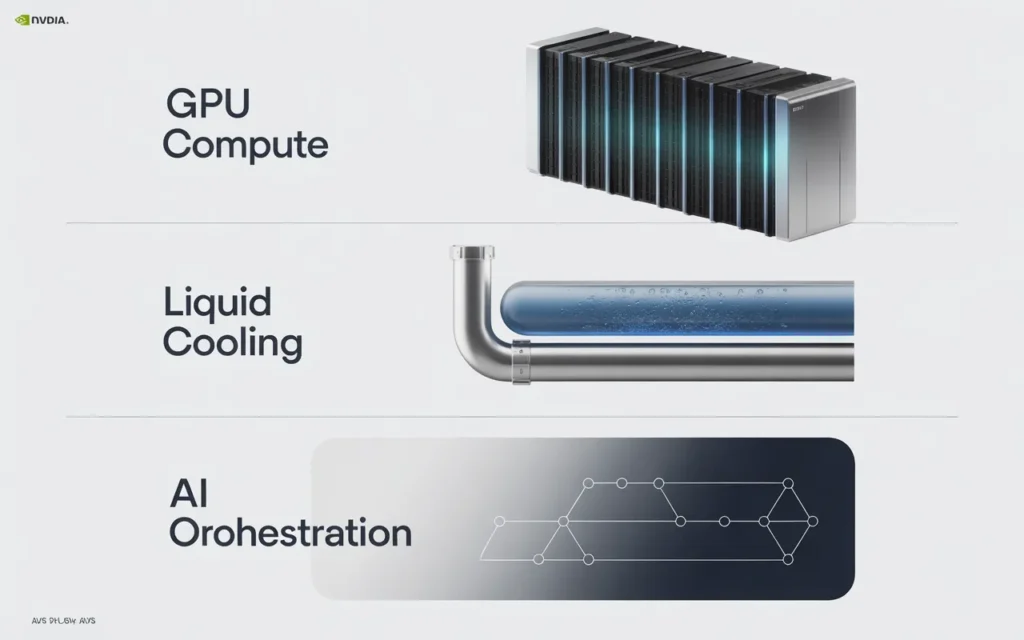
Specialized Hardware: GPUs, TPUs, and High-Speed Storage
The hardware profile of an AI data center looks very different from a traditional one.
GPUs are the workhorses. They’re massively parallel processors designed for the matrix multiplication and convolution operations that power deep neural networks. NVIDIA’s H100 and A100 GPUs are the current standard for serious AI workloads.
TPUs (Tensor Processing Units) are Google’s custom AI accelerators. They’re optimized specifically for TensorFlow-based model training and inference at scale.
Storage needs to keep up. High-throughput NVMe drives connected via PCIe provide the read speeds necessary to feed GPU clusters without bottlenecks. As NVIDIA’s data center guidelines recommend, NVMe and SSD local storage should be configured as close as possible to the GPUs on the same PCIe switch.
Optimized Cooling and Power Efficiency
High-density GPU racks consume a lot of power. We’re talking 30 kW to 60 kW per rack — compared to 5–10 kW for traditional server racks.
That requires advanced cooling. AI data centers use techniques like:
- Hot and cold aisle containment to direct airflow efficiently
- Rear-door heat exchangers combining air and water cooling
- Direct liquid cooling at the component level, which can handle up to 60 kW per rack
According to NVIDIA’s research, component-level liquid cooling can capture 60–80% of server heat and reduce costs by up to 50%, enabling a 2–5x increase in compute density.
Power efficiency is measured using PUE (Power Usage Effectiveness). A lower PUE means more of the energy consumed actually goes to compute rather than cooling overhead.
AI-Driven Workload Orchestration and Automation
Modern AI data centers don’t just provide hardware. They also use software to manage and schedule workloads intelligently.
Tools like NVIDIA’s Data Center GPU Manager (DCGM) monitor GPU health, temperature, utilization, and performance in real time. Scheduling software ensures jobs are distributed efficiently across nodes. Automated failover handles hardware issues without manual intervention.
This is also where AI is starting to manage AI — using machine learning to optimize infrastructure performance dynamically.
What Are the Benefits of AI-Optimized Data Centers?
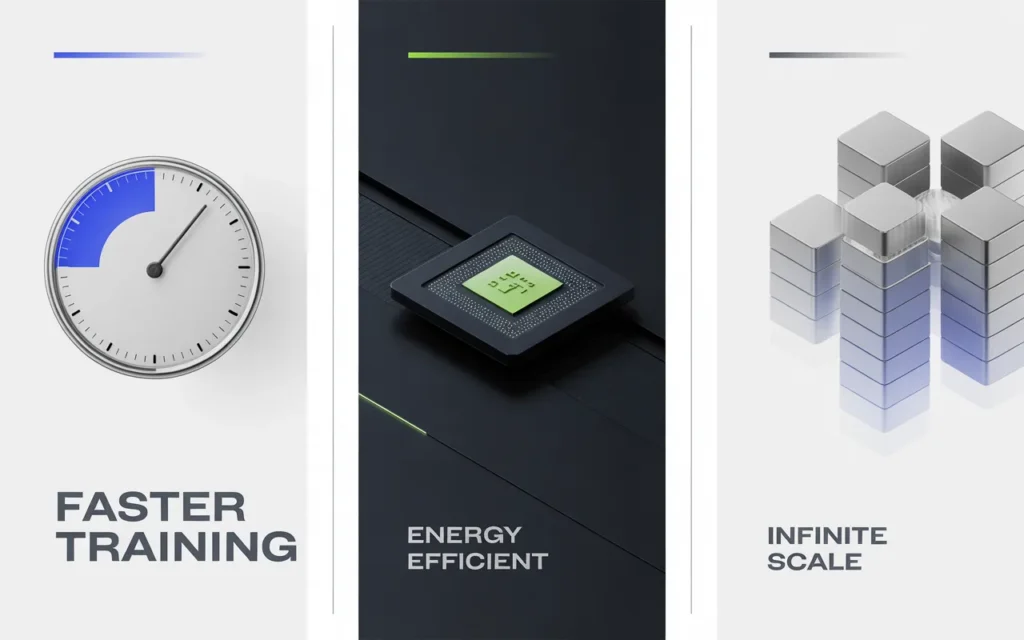
Improved Performance and Faster AI Model Training
The performance difference is significant. GPU-optimized infrastructure dramatically cuts training times. What takes a week on general-purpose servers can complete in hours on a purpose-built AI cluster.
That speed compounds over time. Faster experiments mean more experiments. More experiments mean better results.
Reduced Energy Consumption Per Compute Unit
This surprises many people. Despite consuming more power per rack, AI data centers are actually more energy-efficient per unit of compute.
NVIDIA’s analysis shows a GPU-ready data center needs roughly 1/20th the power of a traditional CPU-only facility to perform the same AI workloads. Fewer racks, less floor space, lower total energy bill.
Scalability for Large-Scale AI Deployments
AI projects grow. A proof-of-concept becomes a production system. A production system gets more users. Workloads expand.
AI data centers are designed to scale horizontally. You add more nodes to the cluster. The network fabric — typically InfiniBand or high-speed Ethernet — accommodates the growth without degrading performance.
Which Applications Benefit Most from AI Data Centers?
Machine Learning and Deep Learning Workloads
Training large language models, image classifiers, recommendation systems, and object detection models all require sustained GPU compute over extended periods.
These workloads are the primary use case for AI data centers. Without GPU-optimized infrastructure, these projects are either impossibly slow or prohibitively expensive.
Real-Time Analytics and Big Data Processing
Processing large datasets quickly — financial transactions, sensor data, logs — benefits enormously from GPU acceleration.
As discussed in SkyNetHosting.net’s edge vs. cloud computing breakdown, cloud platforms with GPU clusters are ideal for machine learning workloads, while hybrid architectures can combine local edge processing with centralized AI analytics.
AI SaaS Platforms and Cloud AI Services
If you’re building a product that delivers AI capabilities to end users — a chatbot, an analytics dashboard, a content generation tool — your infrastructure needs to handle concurrent inference requests at scale.
AI data centers provide the reliability, throughput, and low latency that production AI SaaS products require.
How Are AI Data Centers Different From Traditional Cloud Hosting?
Compute-Focused Architecture vs. General-Purpose Servers
Traditional cloud hosting optimizes for flexibility. You get virtual machines running on shared CPU hardware. That works for web apps and databases.
AI hosting optimizes for raw compute throughput. The architecture prioritizes GPU density, memory bandwidth, and data pipeline performance over general flexibility.
High-Density GPU and TPU Clusters
Traditional cloud racks house dozens of lightweight CPU servers. An AI rack hosts 4–8 high-density GPU servers consuming 32 kW or more.
The networking between those servers also differs. AI clusters use InfiniBand or 100 Gbps Ethernet to ensure GPU nodes can communicate with enough bandwidth to avoid becoming bottlenecks.
Advanced Networking and Storage Optimization
NVIDIA’s data center guidelines recommend using EDR or HDR InfiniBand (100–200 Gbps) for multi-node GPU clusters. The research shows that using four InfiniBand ports per node vs. one provides up to 40% better performance for HPC workloads and 20% better performance for deep learning tasks.
Storage must match that speed. A slow storage system will starve a fast GPU cluster. AI data centers use parallel file systems, high-speed NFS, and NVMe arrays to keep data flowing.
What Security and Reliability Features Are Critical?
Redundant Systems and Failover Protocols
Downtime in an AI environment is expensive. Long-running training jobs don’t just pause — they often have to restart from a checkpoint, wasting hours of compute time.
AI data centers implement redundancy at every layer. Power systems use N+1 configurations (one extra unit for every four needed) or 2N configurations (fully mirrored, independent power systems). According to Digital Realty, 2N redundancy means that even if one power source fails completely, the other handles the full load with zero downtime.
Network and cooling systems follow the same principles.
Physical and Digital Security for AI Workloads
AI models and the data used to train them are valuable intellectual property. AI data centers implement multi-factor physical access controls, 24/7 surveillance, and strict access logging.
On the digital side, network segmentation, encrypted data transfers, and intrusion detection systems protect workloads from both external threats and insider risks.
Compliance with Data Privacy Regulations
If your AI workloads process personal data — user behavior, health records, financial transactions — your hosting infrastructure needs to comply with GDPR, HIPAA, PCI-DSS, or other applicable regulations.
Reputable AI data center providers maintain compliance certifications and offer data residency options to ensure your data stays where regulations require.
How Does SkyNetHosting.Net Inc. Leverage AI-Optimized Infrastructure?
Providing High-Performance Hosting for AI Workloads
SkyNetHosting.Net operates across 25 global data center locations, providing infrastructure designed for high-performance workloads. Their dedicated server options are built around NVMe storage — up to 900% faster than traditional SATA drives — and configured for demanding applications.
For AI teams that need reliable, low-latency infrastructure without building their own data center, this kind of provider fills a critical gap.
Scalable Servers with GPU Acceleration
SkyNetHosting.Net offers dedicated server configurations that can support GPU-accelerated workloads, giving AI developers and businesses access to the hardware they need without the overhead of managing physical infrastructure.
Their reseller-friendly model also makes it practical for agencies and AI SaaS companies to provide GPU-capable hosting to their own clients. You can learn more about how this works through their WHMCS automation and AI integration guide.
Reliable Infrastructure to Support AI SaaS, ML, and Research Projects
For startups running ML experiments, research teams training models, or businesses deploying AI-powered applications, infrastructure reliability is non-negotiable.
SkyNetHosting.Net’s 24/7 support team and strong SLA commitments make them a practical choice for AI workloads that can’t afford unexpected downtime. Their infrastructure is covered in detail in their colocation vs. cloud hosting comparison, which walks through which model fits different workload types.
How Can Businesses Choose the Right AI Data Center Hosting Provider?
Evaluating Compute, Storage, and Network Performance
Start with specifics. Ask potential providers:
- What GPU models are available?
- What storage type is used — NVMe, SATA SSD, or HDD?
- What network speeds are available per node — 10 Gbps, 25 Gbps, 100 Gbps?
- Is InfiniBand available for multi-node GPU clusters?
These details determine whether the infrastructure can actually support your workloads.
Matching Infrastructure to AI Workload Requirements
Different AI tasks have different infrastructure profiles.
Training large models needs maximum GPU memory and fast interconnects between nodes. Inference at scale needs high throughput and low latency per request. Data preprocessing workloads need storage IOPS and fast network connections to data sources.
Know your workload before you evaluate providers. The dedicated server hardware guide from SkyNetHosting.net is a solid reference for matching hardware specs to specific use cases.
Considering Scalability and Future Growth
Your infrastructure needs today are probably smaller than your needs in 12 months.
Choose a provider with multiple tiers of hardware, clear upgrade paths, and global locations. SkyNetHosting.net’s 25 worldwide locations, for example, let you expand into new regions without switching providers.
Also review their managed vs. unmanaged options. If you have an infrastructure team, unmanaged may save cost. If you’d rather focus on AI development, managed hosting handles the server administration so you don’t have to.
For context on how AI search and hosting trends are reshaping provider selection, SkyNetHosting.net’s post on the AI search revolution and USA VPS hosting is worth a read.
The Bottom Line on AI Data Centers
AI data centers aren’t a marketing term. They represent a fundamental shift in how computing infrastructure is designed, built, and operated.
The combination of GPU-dense compute, low-latency networking, high-throughput storage, and advanced cooling makes these facilities capable of something traditional data centers simply aren’t — running AI workloads at the speed and scale that modern applications demand.
Choosing AI-optimized hosting means faster model training, lower infrastructure costs per compute unit, and a platform that can grow with your workloads.
For businesses building AI products, running ML pipelines, or deploying data-intensive applications, infrastructure is not a background detail. It’s a core part of what makes the product work.
SkyNetHosting.Net provides dedicated and high-performance server options designed for exactly these workloads — with global reach, expert support, and the hardware specs that serious AI projects require.
If you’re ready to match your infrastructure to your ambitions, explore their dedicated server options and find the configuration that fits your workload.
FAQs
What defines an AI data center?
AI data centers specialize in massive parallel workloads for training large models and real-time inference using GPU/TPU clusters. They feature high-density racks, advanced liquid cooling, and InfiniBand networking to synchronize compute across thousands of nodes efficiently.
How do they differ from traditional centers?
Traditional centers handle general apps on 5-15kW racks; AI versions pack 40-120kW GPU racks needing liquid cooling and custom power grids. They prioritize tensor math acceleration over standard CPU tasks for deep learning speed
What hardware powers AI operations?
Why such high power consumption?
What cooling solutions do they use?
Liquid immersion, rear-door exchangers, and AI-driven airflow handle extreme heat from GPU clusters. Renewables and efficiency software reduce carbon impact while maintaining 99.99% uptime for mission-critical training.
Who needs AI data center capacity?
Enterprises training LLMs, real-time analytics firms, autonomous vehicle developers, and healthcare AI providers require this infrastructure. It scales inference for chatbots, recommendations, and cybersecurity at global volumes.