

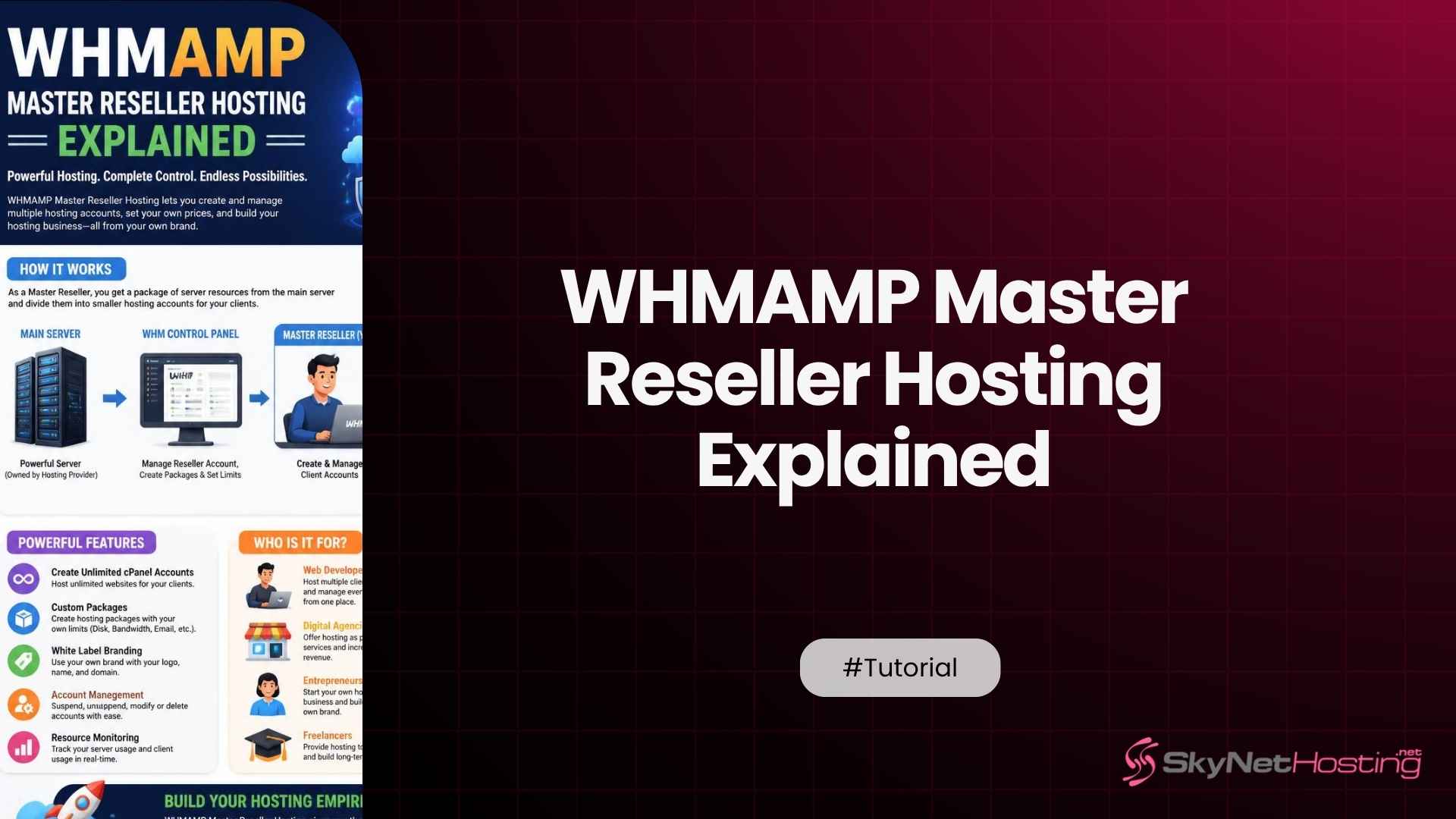
How WHMAMP Works With Master Reseller Hosting: A Technical Overview
WHMAMP is a WHM plugin that adds Alpha Reseller and Master Reseller account types on top of a standard cPanel and WHM server, letting one hosting account create, edit, suspend, and terminate an entire tier of resellers beneath it. On a Master Reseller Hosting plan, WHMAMP is the layer that turns a single hosting account into a small hosting company, with its own reseller hierarchy, its own packages, and its own WHMCS billing tied to every level underneath it.
What Is WHMAMP and How Does It Work With Master Reseller Hosting?
WHMAMP works with Master Reseller Hosting by sitting on top of WHM and adding two new account types, Alpha Reseller and Master Reseller, that standard cPanel servers do not have on their own. An Alpha Reseller account can create Master Resellers, WHM Resellers, and cPanel accounts underneath it, while a Master Reseller account one level down can create WHM Resellers and cPanel accounts of its own.
Understanding the purpose of WHMAMP
A stock WHM install gives an administrator exactly two roles to work with, root and reseller. That is fine for a hosting company selling cPanel accounts directly, but it breaks down the moment a reseller wants to sell reseller accounts of its own. WHMAMP exists to close that gap by inserting Alpha and Master Reseller tiers between root and the standard WHM reseller.
Practically, that means a Master Reseller Hosting customer is not just buying more disk space than a regular reseller plan. They are buying the ability to run their own resellers, each with their own branded WHM login, their own client base, and their own packages, without needing root access to the physical server at all.
How WHMAMP extends reseller management capabilities
WHMAMP adds a dedicated interface inside WHM for the specific actions a multi level reseller needs day to day. Create Master Reseller, Create WHM Reseller, Upgrade Reseller to Master, Downgrade Master to Reseller, Suspend, Terminate, and Monitor Usage all sit in one place, instead of being scattered across WHM’s native, root only tools. Compare that against the base reseller hosting tier, which has no concept of a sub reseller at all.
Two functions matter more than the rest in daily operation. Move Resellers between Masters lets an agency reorganize its own client base without deleting and rebuilding accounts, and Move Domains between Resellers lets a single client site change hands during an offboarding without a full migration. Neither of those exists in a standard WHM reseller account.
The relationship between WHMAMP, WHM, and cPanel
WHM is the administrative layer that manages server resources, packages, and accounts. cPanel is the end user interface a website owner logs into to manage their own site. WHMAMP does not replace either of these. It slots a permissions layer between them, so that a Master Reseller sees a scoped down version of WHM, limited to the accounts and packages that Master Reseller actually owns.
The practical result is that a Master Reseller never touches root WHM at all, but still gets a real, functioning WHM interface for their own slice of the server. Their end clients, in turn, still get a completely standard cPanel login, so nothing about the customer facing side of the stack changes.
How Does WHMAMP Manage Multiple Levels of Resellers?
WHMAMP manages multiple reseller levels through a strict parent child hierarchy, where an Alpha Reseller owns Master Resellers, a Master Reseller owns WHM Resellers, and a WHM Reseller owns individual cPanel accounts. Each level can create, edit, suspend, and terminate only the accounts directly beneath it, never sideways into a sibling reseller’s client base.
Creating reseller account hierarchies
Building the hierarchy starts at the top. An agency with an Alpha Reseller account creates a Master Reseller account for a specific business unit or a specific white label brand it runs, using the Master Resellers menu inside WHMAMP’s WHM interface. That Master Reseller then creates its own WHM Reseller accounts underneath, one per client who needs actual reseller rights of their own.
Most agencies never need the full four tier depth in practice. A common real world pattern is Master Reseller at the top, running client cPanel accounts directly underneath with no WHM Reseller tier in between at all, reserving the extra hierarchy depth for the rare client who genuinely wants to resell hosting themselves.
Assigning permissions and resource limits
Every reseller level in WHMAMP gets its own resource ceiling, disk space, bandwidth, and the number of accounts it is allowed to create, set independently of what the level above it has access to. A Master Reseller can be capped at twenty WHM Reseller accounts even if the Alpha Reseller above it has room for two hundred, which keeps one client from accidentally provisioning far more than the plan was priced for. Reseller plan feature limits set the outer boundary that every level underneath ultimately has to fit inside.
Permissions run the same way. A Master Reseller can be allowed to suspend and terminate its own WHM Resellers but blocked from touching billing settings, or allowed to move domains between its own resellers but not to create a new Master Reseller of its own. Getting this granular is what keeps a large hierarchy from turning into a support headache.
Managing hosting packages across reseller levels
Packages in WHMAMP cascade downward. Root defines the packages an Alpha Reseller is allowed to offer, the Alpha Reseller defines what its Master Resellers can offer, and so on down to the cPanel account a client actually signs up for. A package built at the top can be edited and rebranded at each level below it, but its resource ceiling can never exceed what the level above allotted.
This is where a lot of the actual reseller business gets built. An agency can take one server side package, split it into a starter, standard, and premium tier for its own clients, and price each tier with its own margin, all from packages that trace back to a single WHMAMP defined allocation.
Maintaining account isolation and organization
Every account inside a WHMAMP hierarchy still gets its own separate file system, database, and email, exactly like a standalone cPanel account would. The hierarchy only governs who can administer whom. It does not merge accounts together or let one client’s data touch another’s, regardless of how many levels of resellers sit between root and that account.
Organization matters more as the hierarchy grows. Naming conventions for reseller usernames, a consistent tagging system for which Master Reseller owns which brand, and a habit of auditing the hierarchy every quarter all keep a fifty account structure as manageable as a five account one.
A useful habit here is keeping a single source of truth outside WHM itself, a simple spreadsheet or a WHMCS report mapping every account to the client and brand it belongs to. WHMAMP shows the technical structure clearly enough, but it does not know why a given Master Reseller exists or which sales contract it was created under, and that context matters the day someone other than the original admin has to make a change.
How Can You Configure WHMAMP for Better Performance and Scalability?
WHMAMP performs and scales best when resource allocation is planned ahead of account growth rather than adjusted after the fact, when WHMCS handles provisioning instead of a human doing it manually, and when packages and branding stay standardized across every reseller level instead of drifting account by account.
Planning resource allocation for multiple resellers
Start by sizing the top of the hierarchy against the physical plan, not the other way around. If a resold VPS or dedicated server gives an Alpha Reseller 500 GB of usable storage, that ceiling has to be split across every Master Reseller, WHM Reseller, and cPanel account that will ever exist under it, with real headroom left over for growth, not allocated down to the last gigabyte on day one.
Overselling is a real and normal part of this math, since most client accounts never use their full allotment, but it only works safely with overselling enabled correctly at the WHM level, monitored against actual usage rather than assumed limits that were never checked again after setup.
Integrating WHMCS for automated provisioning
WHMAMP ships its own WHMCS server module, which lets a hosting business sell Master Reseller and WHM Reseller accounts through a normal WHMCS order form, the same way it would sell a regular cPanel account. WHMCS handles billing, welcome emails, and suspension for non payment automatically, and the module talks directly to WHMAMP to create the actual account on the server the moment an order comes through.
The setup itself is a handful of steps: install the module in the WHMCS server modules folder, add a new server pointing at the physical machine with the Master Reseller credentials, then build a product tied to that server. Once that is done, a new sub reseller signup needs zero manual account creation on the WHM side at all.
Organizing packages and branding efficiently
Branding at every level of a WHMAMP hierarchy carries through to nameservers, the WHM login skin, and even the client storefront a Master Reseller hands to its own resellers. Keeping package names, feature sets, and branding consistent across every level saves the support headaches that come from five differently named versions of the same underlying plan.
A simple naming convention goes a long way here. Tie every package name to the tier it represents, Starter, Growth, Scale, rather than a client specific label, so a support agent looking at any account in the hierarchy can tell at a glance what it is entitled to without opening the billing system first.
Monitoring reseller resource usage
WHMAMP’s Monitor Usage function shows disk space, bandwidth, and account counts for every reseller in the hierarchy from a single screen, rather than requiring an admin to log into each reseller’s own WHM separately. Checking this on a regular schedule, not just when a client complains, is what catches a runaway account before it starts affecting its neighbors.
A quarterly review of the full hierarchy against actual usage, not the limits set at signup, is worth the hour it takes. Plans get resized as clients grow, dormant sub accounts get flagged for cleanup, and the whole structure stays a reflection of what is actually running rather than what was configured once and never revisited.
What Common Mistakes Should You Avoid When Using WHMAMP?
The most damaging mistake with WHMAMP is granting a sub reseller more permission than their tier actually needs, closely followed by never setting hard resource limits and letting the hierarchy grow deeper than the business actually requires.
Granting excessive reseller permissions
It is tempting to hand a trusted Master Reseller full administrative rights just to avoid future support tickets asking for one more permission. That convenience turns into a real problem the first time that account gets compromised, since every permission it holds is now available to whoever broke in, not just the ones it actually uses.
We have seen a compromised Master Reseller account with unnecessary billing access get used to alter its own invoice before the breach was caught. A tightly scoped permission set would have limited the damage to account management alone, with billing sitting safely out of reach.
Failing to define resource limits
Leaving a new Master Reseller account unlimited, with the intention of setting real limits later, almost never gets revisited once the account is live and generating revenue. The first time it matters is when that account’s own sub resellers have oversold the server’s actual capacity, and by then the fix means downgrading live client accounts instead of just enforcing a number that should have existed from day one.
Creating unnecessary reseller hierarchy levels
Four tiers of resellers exist in WHMAMP because some businesses genuinely need them, not because every business should use all four. An agency that adds an Alpha and Master tier for a hosting operation that only ever sells direct to five clients has built administrative overhead with no matching benefit, and every extra tier is one more layer that has to be documented, monitored, and explained to a new hire.
The right test is simple. Add a tier only when a real, distinct business unit or a real client actually needs reseller rights of its own. Everything else can sit as a plain cPanel account under whichever reseller level already exists.
Collapsing an over built hierarchy later is possible through WHMAMP’s downgrade functions, moving a Master Reseller down to a plain reseller or a reseller down to a standard cPanel account, but it still means touching every affected client’s login and package assignment. Getting the tier count right at the start avoids that cleanup entirely.
Ignoring ongoing monitoring and security practices
A hierarchy set up correctly on day one still drifts if nobody checks it again. Passwords age, permissions get added for one off requests and never removed, and dormant sub reseller accounts sit unused with full access still intact. Pairing WHMAMP’s monitoring tools with SSL coverage across every reseller tier closes off two of the more common entry points at once.
How Does SkyNetHosting.Net Inc. Support Businesses Using Master Reseller Hosting?
SkyNetHosting bundles free WHMCS and WHMAMP with its Master Reseller Hosting plans, running on Intel Dual Xeon servers with NVMe drives, backed by more than 20 years in business and over 700,000 websites hosted across 25 worldwide server locations. That pairing covers both the account hierarchy tooling and the physical infrastructure a growing hosting business needs underneath it.
Master Reseller plans designed for scalable growth
Master Reseller plans on SkyNetHosting start with a defined WHM Reseller and cPanel account allotment, and step up through higher tiers as an agency’s own client base grows, with WHMAMP handling the actual account creation at every step. Master Reseller clients starting from the second tier plan can also resell dedicated servers and VPS at a recurring discount, extending the hierarchy beyond shared hosting entirely.
WHM, cPanel, and WHMCS compatibility
Every plan runs standard WHM and cPanel, so nothing about the underlying stack is proprietary or locked to a single vendor’s tooling. The free WHMCS license, worth $15.95 a month bundled in at no extra cost, uses the same WHMAMP server module described earlier, so provisioning a new Master Reseller or WHM Reseller account through WHMCS works exactly the way the module documentation describes, with no custom configuration needed on SkyNetHosting’s end.
White label infrastructure for hosting businesses
Custom nameservers, a branded client area, and a branded domain reseller storefront all carry an agency’s own name through every level of the hierarchy, down to the WHM Reseller a Master Reseller creates for one of its own clients. Nothing in the interface a sub reseller sees points back to SkyNetHosting by default.
Reliable hosting designed for long-term expansion
Twenty four hour support covers the physical server and network layer, while end user support is available as an add on for agencies that want their own end clients handled directly rather than escalating every ticket themselves. One honest limitation worth stating plainly. A Master Reseller plan is built for managing a real hierarchy of sub resellers and their clients. It is not the right starting point for someone who only wants to host three or four sites of their own, that use case is better served by a standard reseller account without the extra administrative layer.
How Can You Build a Successful Hosting Business With WHMAMP and Master Reseller Hosting?
Building a successful hosting business on WHMAMP and Master Reseller Hosting comes down to standardizing how accounts get created and managed, automating billing so growth does not multiply manual work, and adding hierarchy depth only when the client base actually justifies it.
Standardizing reseller account management
A written process for every account action, creating a new Master Reseller, upgrading a WHM Reseller, suspending a non paying account, keeps the hierarchy consistent even as more than one person ends up managing it. Without that, every admin develops their own habits, and six months in, no two accounts in the hierarchy are configured quite the same way.
This does not need to be an elaborate document. A short checklist covering package assignment, resource limits, and branding steps for each account type is usually enough, as long as everyone touching the hierarchy actually follows it instead of treating account creation as a one off task each time.
Automating onboarding and billing workflows
The WHMCS integration described earlier is the actual engine behind this. A new sub reseller signup should trigger account creation, a welcome email, and the first invoice with no manual step in between. Businesses that skip this automation find that their own administrative overhead grows in a straight line with every new account, instead of staying flat while revenue keeps climbing.
Scaling your reseller network without increasing operational complexity
The hierarchy can grow to dozens of Master Resellers and hundreds of underlying accounts without adding proportional admin work, but only if the resource planning, package standardization, and monitoring habits described throughout this piece are already in place before that growth happens. Bolting them on after the hierarchy is already large and disorganized costs far more time than building them in from the first account.
A hosting business ready to run its own reseller hierarchy on infrastructure built for it should start from a plan with WHMAMP and WHMCS already bundled in. SkyNetHosting’s Master Reseller Hosting gives that structure room to grow from a single Master Reseller account to a full multi level hierarchy without a provider switch.
