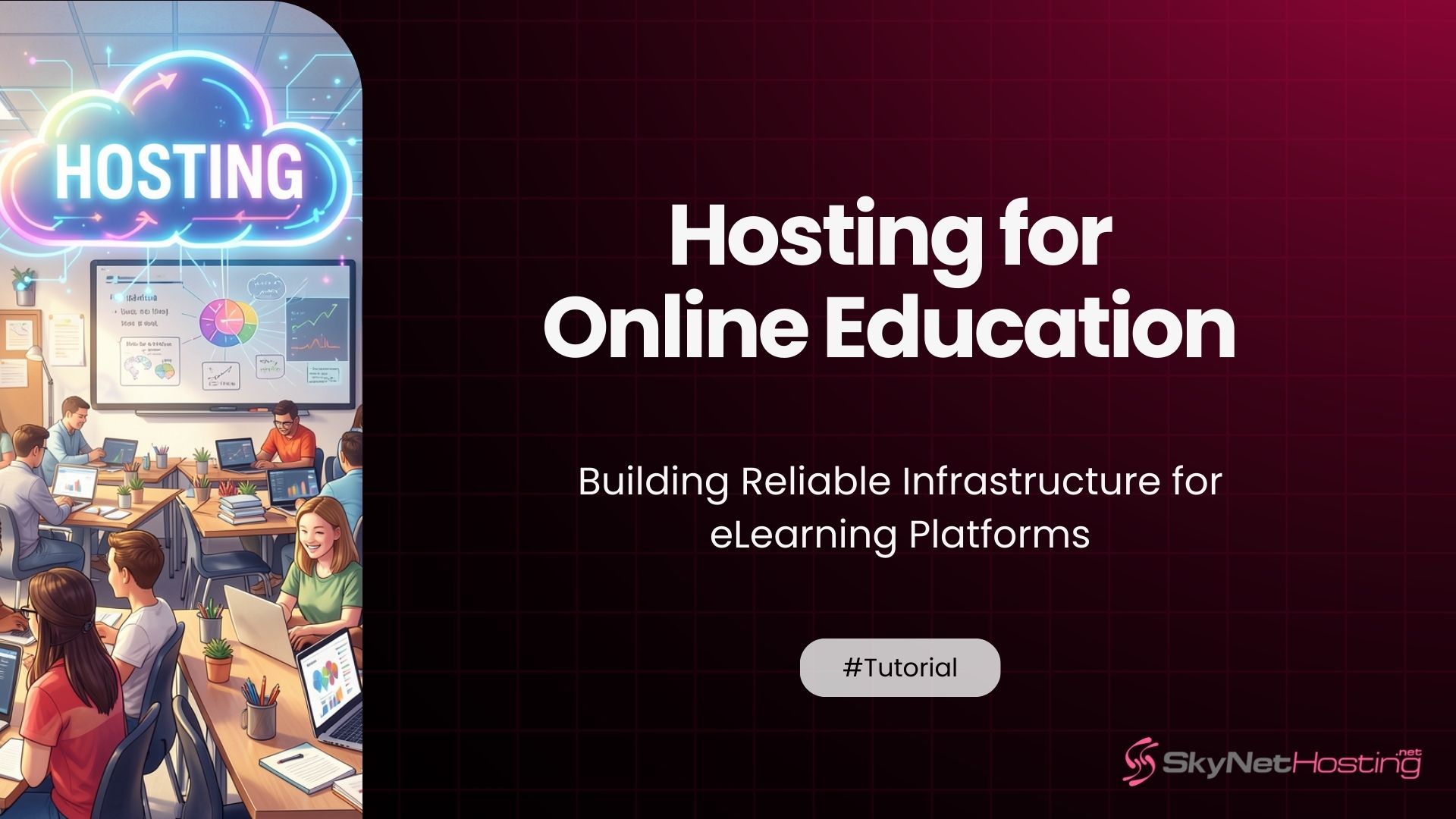
Hosting for Online Education: Building Reliable Infrastructure for eLearning Platforms
TL;DR
- Prioritizes sub-200ms video streaming via global CDN edge nodes and NVMe caching for smooth lectures.
- WCAG 2.1 AA compliance ensures accessibility for all students, meeting April 2026 regulations automatically.
- Auto-scaling handles peak enrollments during course launches without downtime or performance drops.
- Integrated LMS support for Moodle/LMS with one-click installs and WHMCS billing for instructors.
- DDoS protection and 99.9% uptime guarantee prevent disruptions during exams or live sessions.
- Affordable VPS/reseller plans scale from single courses to university platforms efficiently.
Online education has grown into a serious infrastructure challenge.
It’s not just about putting course videos on a website anymore. Today’s eLearning platforms serve thousands of concurrent students, stream hours of live video, handle sensitive personal data, and need to stay online 24/7 — including during high-stakes exams.
I’ve spent over 10 years working with web infrastructure. And one thing I’ve learned is this: the hosting decisions you make early will either hold your platform together or quietly destroy it at the worst possible moment.
In this guide, I’ll walk you through everything you need to know about hosting for online education. What features matter, what mistakes to avoid, and how to choose a setup that grows with you.
Let’s get into it.
What Is Hosting for Online Education?
Hosting for online education is more than just buying a server plan and uploading a WordPress site.
It’s the entire infrastructure layer that keeps your learning platform running — reliably, securely, and fast enough that students don’t abandon their sessions in frustration.
How eLearning Platforms Differ from Standard Websites
A standard business website handles a few hundred visitors a day. Pages load, content is served, done.
An eLearning platform is a completely different beast.
You’re dealing with concurrent users logged into student dashboards, video lessons streaming simultaneously, quiz submissions hitting your database in real time, and live class sessions that absolutely cannot buffer or drop.
The server load patterns are also different. A regular website sees gradual traffic growth. An eLearning platform sees sudden spikes — enrollment opens, a course launches, or 500 students all log in to sit an exam at 9 AM.
Standard shared hosting is not built for this. At all.
Infrastructure Needs of LMS-Based Systems
Learning Management Systems like Moodle, Canvas, or custom-built platforms have specific infrastructure requirements.
They’re database-heavy. Every time a student logs in, submits an assignment, watches a video, or completes a quiz, your database is working. That means you need fast storage — NVMe SSDs rather than traditional hard drives — and enough RAM to keep those queries flying.
They also need consistent CPU performance. A shared hosting environment where your resources are squeezed by 200 other websites won’t give you that. This is why VPS hosting for SaaS-style platforms often makes more sense for growing EdTech products than basic shared plans.
Why Uptime Is Critical for Virtual Classrooms
Here’s a scenario I’ve seen play out more than once.
A university runs final exams through their online platform. The system goes down for 40 minutes. Students panic. Instructors scramble. The institution spends days dealing with complaints, appeals, and rescheduling.
All because the hosting wasn’t built to handle the load.
As SkyNetHosting.net explains in their guide to understanding 99.9% uptime, a hosting plan with only 98% uptime allows for over 14 hours of downtime per month. That’s 14 hours where a student can’t access their coursework, attend a live class, or submit an assignment.
For education platforms, that’s not acceptable. You need 99.9% uptime or better — backed by a proper SLA.
What Features Are Essential for eLearning Hosting?
Let’s get specific. These are the hosting features that actually matter for online education infrastructure.
High-Performance Servers for Course Platforms
The server processing your platform needs to be fast. Not “fast enough for a blog” fast — actually fast.
Modern LMS platforms are resource-intensive applications. They run complex queries, serve personalized dashboards, and process a lot of concurrent requests. A high-performance VPS or dedicated server with dedicated CPU cores, adequate RAM, and NVMe storage is the baseline.
Think about what happens when 300 students are all watching different video modules at the same time. Your server is handling 300 separate sessions simultaneously. That requires real processing power.
NVMe storage, in particular, makes a measurable difference. According to SkyNetHosting.net’s dedicated server provider comparison, NVMe drives can deliver read speeds that are up to 900% faster than traditional SATA drives. For database-heavy eLearning applications, that speed difference translates directly into faster page loads and smoother user experiences.
Scalable Bandwidth for Video Streaming
Video is the backbone of online education. And video is bandwidth-hungry.
According to Kaltura’s streaming guide, streaming full HD video at 1080p requires between 3,500 and 6,000 kbps of bandwidth per viewer. At 720p and 30fps, you’re looking at approximately 2,500–4,000 kbps per stream.
Multiply that by 100 concurrent students watching video lessons, and you’re looking at serious bandwidth demands on your hosting infrastructure.
Your hosting plan needs to be able to handle this comfortably — with headroom. A connection that’s running at full capacity during normal load will fall apart during a course launch or live event.
CDN integration also matters here. A Content Delivery Network caches your video content on servers closer to your students, reducing buffering. As SkyNetHosting.net covers in their guide to fixing slow-loading websites, visitors far from your server experience longer load times — and for video, that directly causes buffering.
Secure Databases for Student Information
Student data is sensitive. We’re talking about names, contact details, academic records, payment information, and in some cases health accommodations.
That data needs to be protected — at rest and in transit.
Your hosting infrastructure should include encrypted databases, strict access controls, and regular automated backups. If you’re running a platform that handles European student data, GDPR compliance is a legal requirement, not an optional feature. Similarly, US institutions handling student records need to understand FERPA data handling requirements.
This isn’t just a legal obligation. It’s a trust issue. Students and institutions will not use platforms they don’t trust with their data.
How Does Hosting Impact Online Learning Experience?
The connection between hosting quality and learning outcomes is direct and measurable.
Page Load Speed and Engagement
Google’s research has shown that 53% of mobile users abandon sites that take longer than 3 seconds to load.
For eLearning, that number is probably conservative. A student trying to access a lesson before a live class doesn’t have the patience for a slow-loading dashboard. They’ll either give up, reach out to support, or simply have a poor experience that chips away at their engagement with the course.
Fast hosting keeps students in the flow. It removes friction. And reduced friction means better completion rates.
A one-second delay in server response isn’t just annoying — it’s a direct threat to your platform’s retention metrics.
Reducing Buffering During Video Playback
Buffering is the single most complained-about experience in online learning.
It interrupts focus. It breaks the learning flow. And if it happens repeatedly, students stop trusting the platform entirely.
Buffering happens for two main reasons: insufficient bandwidth or server-side performance issues. Both are hosting problems.
The solution is a combination of fast servers, adequate bandwidth allocation, CDN delivery for video content, and proper video encoding settings. As the Kaltura streaming guide notes, it’s better to deliver a stable 720p stream than an unstable 1080p one — the goal is smooth, uninterrupted playback, not maximum resolution.
Handling Peak Traffic During Exams and Live Sessions
This is where many eLearning platforms fail.
Regular day-to-day traffic is manageable. But when 2,000 students all try to access the exam portal at the same moment, or when a live webinar kicks off and hundreds of attendees join simultaneously, the load on your infrastructure spikes dramatically.
Shared hosting collapses under this kind of pressure. A cheap hosting plan that saves money upfront can cost you thousands in lost revenue, failed exams, and damaged reputation during exactly these moments.
The solution is either auto-scaling cloud infrastructure that adjusts to demand in real time, or a VPS/dedicated server sized with enough overhead to handle peak load without breaking.
How Important Is Scalability for Online Education Platforms?
Scalability isn’t a future problem. It starts affecting you the moment your platform starts growing.
Managing Enrollment Growth
When you first launch, you might have 50 students. Then 500. Then 5,000.
Each of those growth stages has different infrastructure requirements. A server that handles 50 concurrent users comfortably will struggle at 500 and fail completely at 5,000.
Planning for scalability from the start means choosing hosting infrastructure that can grow with you. That means avoiding long-term commitments to underpowered plans, and choosing a provider with clear upgrade paths.
Auto-Scaling During Course Launches
Course launches are predictable traffic spikes. You know they’re coming. The question is whether your infrastructure is ready.
Cloud hosting with auto-scaling is particularly well-suited to this challenge. When a course opens for enrollment and traffic surges, auto-scaling allocates additional resources automatically — then releases them when demand drops.
This is why the SaaS hosting architecture principles that apply to software platforms are directly relevant to eLearning. Multi-tenant platforms serving many users need the same kind of redundancy, load balancing, and auto-scaling that enterprise SaaS products rely on.
Supporting Global Student Access
Online education is international. A student in London, Lagos, and Los Angeles might all be enrolled in the same course.
Geographic distance between the student and your server creates latency. Latency causes slow page loads, delayed video starts, and choppy live sessions.
Hosting providers with global data center networks address this by letting you deploy your platform in regions close to your user base. SkyNetHosting.net operates 25 worldwide data center locations — which means your platform can be positioned close to your primary student audience, wherever they are.
What Security Measures Should Education Hosting Include?
Security in education hosting isn’t optional. Here’s what the baseline looks like.
SSL Encryption and Secure Login Systems
Every eLearning platform needs a valid SSL certificate. This encrypts data in transit between the student’s browser and your server — login credentials, quiz answers, payment information.
Without SSL, that data is transmitted in plain text. That’s a serious vulnerability.
SSL also affects SEO. Google’s algorithms factor in whether a site uses HTTPS. An education platform without SSL will rank lower and display “Not Secure” warnings in browsers — which destroys student trust immediately.
Beyond SSL, your login system needs to be properly secured. This means strong password policies, multi-factor authentication options, and protection against brute-force login attempts.
Protecting Sensitive Student Data
Student data protection starts at the server level.
Databases should be encrypted at rest. Access to student records should be role-based — meaning only the people who need access to specific data can see it. API endpoints that expose student data need to be authenticated and rate-limited.
As SkyNetHosting.net notes in their cloud managed data center services guide, compliance requirements for regulated industries — including education — require security controls that go well beyond what basic shared hosting provides.
Backup and Disaster Recovery Planning
Your backup strategy is your insurance policy.
If your server fails, if a bad deployment corrupts your database, or if ransomware hits your platform, your ability to recover depends entirely on the quality of your backups.
Best practice is automated daily backups stored in a geographically separate location from your primary server. You should test restores regularly. Knowing a backup exists is not the same as knowing it works.
Your disaster recovery plan should also define your Recovery Time Objective (RTO) — how long can your platform be down before it becomes a serious problem? And your Recovery Point Objective (RPO) — how much data can you afford to lose? For an active eLearning platform, both of those numbers should be very small.
Which Hosting Model Works Best for LMS and EdTech?
There’s no single right answer. It depends on your platform size, budget, and growth trajectory.
Cloud Hosting for Flexible Scaling
Cloud hosting is the right choice for platforms with variable or unpredictable traffic patterns. New course launches, seasonal enrollment peaks, and viral marketing campaigns all create traffic spikes that cloud infrastructure handles elegantly through auto-scaling.
The pay-as-you-go model means you’re not paying for capacity you don’t use during quiet periods. But it also means costs can become unpredictable if a traffic spike is larger than expected.
For EdTech startups and growing platforms, cloud hosting is often the most practical starting point.
Dedicated Servers for Large Institutions
Universities, large corporate training programs, and established online academies often outgrow shared or VPS environments.
A dedicated server gives you guaranteed, isolated hardware. No noisy neighbors, no shared resources, no performance fluctuations caused by other tenants. For platforms serving tens of thousands of concurrent users, that isolation is worth the investment.
SkyNetHosting.net’s hosting industry trends analysis for 2026 confirms that demand for dedicated, high-reliability infrastructure is growing — particularly for SaaS and enterprise applications that simply cannot afford performance compromises.
Hybrid Approaches for Growing Platforms
Many platforms find that a hybrid model works best. A dedicated or managed VPS server handles the core LMS application with consistent, predictable performance. Cloud infrastructure or a CDN layer handles video delivery and traffic spikes.
This gives you the performance consistency of dedicated resources alongside the elasticity of cloud scaling — at a lower cost than going fully cloud for everything.
How Can Hosting Support Live Classes and Webinars?
Live sessions are the highest-stakes moments in online education. Your infrastructure needs to be at its best exactly when it matters most.
Low-Latency Network Performance
Live classes are unforgiving of latency.
When a teacher asks a question and the response arrives three seconds late, the session breaks down. When audio and video go out of sync, students tune out. When the stream freezes mid-explanation, the learning stops completely.
WebRTC-based live video tools can achieve latency as low as 200–500 milliseconds under good network conditions, according to TVU Networks’ streaming protocol guide. That near-real-time responsiveness is only possible with low-latency server infrastructure and a fast, reliable network.
Choosing a hosting provider with multiple Tier-1 carrier connections and global data center locations directly improves the quality of live sessions for students across different geographies.
Reliable Uptime During Real-Time Sessions
A scheduled live class is a commitment to your students. If the platform goes down during that session, you’ve broken that commitment — and there’s no easy way to make it up.
This is why uptime guarantees need to be backed by real SLAs, not just marketing language. A provider that offers 99.9% uptime and backs it with account credits if they fail to deliver is a very different proposition from one that makes vague uptime claims.
SkyNetHosting.net backs its infrastructure with a 99% uptime guarantee and 24/7 server monitoring, with proactive issue detection before problems escalate into outages.
Integrating Third-Party Streaming Tools
Most eLearning platforms don’t build their own live streaming infrastructure from scratch. They integrate with tools like Zoom, Webex, BigBlueButton, or custom RTMP streaming solutions.
Your hosting needs to support these integrations cleanly. That means proper firewall configurations, sufficient outbound bandwidth, and a server environment that allows the necessary ports and protocols.
As SkyNetHosting.net’s VPS vs. cloud hosting comparison notes, VPS hosting gives you root access to configure the server environment exactly as your application requires — which is essential when integrating specialized streaming tools.
How Does SkyNetHosting.Net Inc. Support Online Education Platforms?
SkyNetHosting.net has been in the hosting industry for over 20 years. That experience matters when you’re building critical education infrastructure.
High-Performance Infrastructure for LMS Applications
SkyNetHosting.net runs NVMe SSD storage across its infrastructure — delivering significantly faster read/write speeds than traditional drives. For database-heavy LMS platforms, this directly translates to faster page loads, quicker quiz submissions, and more responsive student dashboards.
Their servers run on LiteSpeed web server technology with PHP 8.x support, which is optimized for the kind of dynamic, logged-in experiences that eLearning platforms deliver. This isn’t generic hosting — it’s infrastructure built for performance-critical applications.
For platforms outgrowing shared environments, their managed VPS plans offer dedicated resources, root access, and the kind of consistent performance that education platforms need.
Scalable Hosting for Growing Student Bases
SkyNetHosting.net operates 25 worldwide data center locations. That global footprint means you can host your platform close to your primary student audience — reducing latency and improving the experience for learners regardless of where they’re located.
Their infrastructure supports both vertical scaling (upgrading your plan as you grow) and horizontal approaches (adding additional nodes for larger deployments). You’re not locked into an infrastructure model that can’t keep pace with your enrollment growth.
And when traffic spikes during a course launch or exam period, their 24/7 support team is available to help manage the situation in real time — not hours later via a ticket queue.
Reliable Uptime to Ensure Uninterrupted Learning
For education platforms, downtime has real consequences. Students miss lessons. Exams get disrupted. Institutions lose trust.
SkyNetHosting.net’s commitment to reliability includes proactive monitoring, redundant systems, automated backup infrastructure, and expert support available 24/7/365. Their managed data center services handle the infrastructure complexity — so you can focus on delivering great learning experiences rather than managing servers.
How Do You Choose the Right Hosting Provider for Online Education?
Here’s a practical framework for making this decision.
Evaluating Performance Benchmarks
Don’t just read marketing pages. Ask potential providers real questions:
- What storage type do you use — NVMe, SATA SSD, or HDD?
- What is your average TTFB (Time to First Byte) on production servers?
- What is your uptime SLA, and what compensation do you offer if it’s missed?
- Do you offer managed services, or is server administration entirely on me?
Run your own speed tests if possible. Use tools like GTmetrix, Pingdom, or Google PageSpeed Insights to measure actual performance — not theoretical specs.
As the SkyNetHosting.net best VPS provider guide for 2026 advises, the right provider combines modern hardware, responsive support, and a proven uptime track record — not just competitive pricing.
Matching Hosting Plans to Enrollment Size
Your hosting needs change as your platform grows. Here’s a rough framework:
- Under 500 active users: A managed VPS with 4–8GB RAM and NVMe storage is typically sufficient
- 500–5,000 users: A higher-tier VPS or entry-level dedicated server with more RAM and CPU cores
- Over 5,000 concurrent users: Dedicated servers or cloud infrastructure with load balancing
These are rough guides, not rules. The actual numbers depend heavily on how video-intensive your platform is, how many live sessions you run, and how complex your LMS application is.
Planning Long-Term Scalability
Choose infrastructure that can grow with you.
The most expensive hosting decision you can make is one that forces a full migration when your platform outgrows it. Migration takes time, introduces risk, and creates potential downtime.
A better approach is choosing a provider that offers a clear upgrade path — from VPS to dedicated, from single-server to multi-node — without forcing you to change providers and start over.
Reliable Hosting Is the Foundation of Successful Online Education
Online education is only as reliable as the infrastructure it runs on.
Students don’t think about servers or bandwidth or uptime SLAs. They just want their lesson to load, their live class to run smoothly, and their progress to be saved. When the infrastructure works, they don’t notice it. When it fails, they notice immediately — and they don’t forget.
Performance, Security, and Scalability Define the Learning Experience
These three factors — performance, security, and scalability — aren’t optional extras. They’re core requirements for any education platform that takes its students seriously.
Fast servers mean engaged learners. Strong security means protected data and institutional trust. Proper scalability means your platform handles 50 students and 50,000 without breaking.
Get these right, and your infrastructure becomes an invisible advantage. Get them wrong, and it becomes the thing everyone’s complaining about.
SkyNetHosting.Net: Stable Infrastructure for Educators, Institutions, and Course Creators
Whether you’re a solo course creator launching your first platform, an EdTech startup scaling to thousands of users, or a university moving its programs online, the hosting decisions you make today will shape every student experience that follows.
SkyNetHosting.net combines 20+ years of hosting expertise, NVMe-powered infrastructure, global data center coverage, and 24/7 expert support — giving education platforms a foundation they can build on with confidence.
The platform you build deserves infrastructure that won’t let it down. Explore SkyNetHosting.net’s hosting plans and find the right fit for your eLearning platform today.
Frequently Asked Questions
What is the best hosting for LMS platforms like Moodle or Canvas?
Managed VPS or dedicated hosting with NVMe storage is typically the best starting point for LMS platforms. These environments provide dedicated CPU and RAM resources, fast database performance, and root access for custom configurations that LMS systems often require.
How much bandwidth does an online education platform need?
It depends heavily on your video usage. Streaming HD video at 1080p requires approximately 3,500–6,000 kbps per viewer. At 720p, that drops to 2,500–4,000 kbps. For 100 concurrent video viewers, you need to plan for at least 250–600 Mbps of available bandwidth, plus headroom for other platform activity.
How do I handle traffic spikes during exam periods or course launches?
The two main approaches are auto-scaling cloud infrastructure (which allocates resources automatically when traffic spikes) or a dedicated/VPS server sized with enough headroom to handle peak load. Cloud-based auto-scaling is more flexible; a well-sized dedicated server is more predictable in cost.
What security features should education hosting include?
At minimum: SSL/TLS encryption, encrypted databases, automated daily backups stored off-server, strong access controls, DDoS protection, and a provider that can support GDPR compliance for platforms serving European students.
Can shared hosting work for an eLearning platform?
For a very small platform in its early stages, shared hosting might work temporarily. But it will quickly become a limitation. Shared hosting doesn’t provide dedicated resources, can’t handle concurrent video streaming reliably, and is vulnerable to performance degradation from other sites on the same server. Moving to a VPS or dedicated plan early saves significant headaches later.
How important is server location for online education?
Very important. Server location directly affects latency — the time it takes for data to travel between your server and your student’s device. For live classes and interactive content, latency above 200–300ms starts to create noticeable delays. Hosting your platform in a data center geographically close to your student base significantly improves the live learning experience.